The two models, […] each offer a minimum of 3TB per disk
Huh? The hell is this supposed to mean? Are they talking about the internal platters?
More than likely
Haven’t bought Seagate in 15 years. They improve their longevity?
I have one Seagate drive. It’s a 500 GB that came in my 2006 Dell Dimension E510 running XP Media Center. When that died in 2011, I put it in my custom build. It ran until probably 2014, when suddenly I was having issues booting and I got a fresh WD 1 TB. Put it in a box, and kept it for some reason. Fast forward to 2022, I got another Dell E510 with only an 80 GB. Dusted off the old 500 GB and popped it in. Back with XP Media Center. The cycle is complete. That drive is still noisy as fuck.
Vastly. I’m running all seagate ironwolf pros. Best drives Ive ever used.
Used to be WD all the way.
https://www.backblaze.com/cloud-storage/resources/hard-drive-test-data
Backblaze reports are cool
Not worth the risk for me to find out lol. My granddaddy stored his data on WD drives and his daddy before him, and my daddy after him. Now I store my data on WD drives and my son will to one day. Such is life.
And here I am with HGST drives hitting 50k hours
Edit: no one ever discusses the Backblaze reliability statistics. Its interesting to see how they stack up against the anecdotes.
“The two models, the 30TB … and the 32TB …, each offer a minimum of 3TB per disk”. Well, yes, I would hope something advertised as being 30TB would offer at least 3TB. Am I misreading this sentence somehow?
They probably mean the hard drive has 10 platters, each containing at least 3TB.
My first HDD had a capacity of 42MB. Still a short way to go until factor 10⁶.
My first HD was a 20mb mfm drive :). Be right back, need some “just for men” for my beard (kidding, I’m proud of it).
So was mine, but the controller thought it was 10mb so had to load a device driver to access the full size.
Was fine until a friend defragged it and the driver moved out of the first 10mb. Thereafter had to keep a 360kb 5¼" drive to boot from.
That was in an XT.
it honestly could have been a 10mb, I don’t even remember. only thing I really do remember is thinking it was interesting how it used the floppy and second cable, and how the sound it made was used in every 90’s and early 2000’s tv and movie show as generic computer noise :)
You have me beat on the XT, mine was a 286, although it did replace an Apple 2e (granted both were aquired several years after they were already considered junk in the 386 era).
I remember the sound. Also, it was on a three wheel table, and the whole thing would shake when defragging.
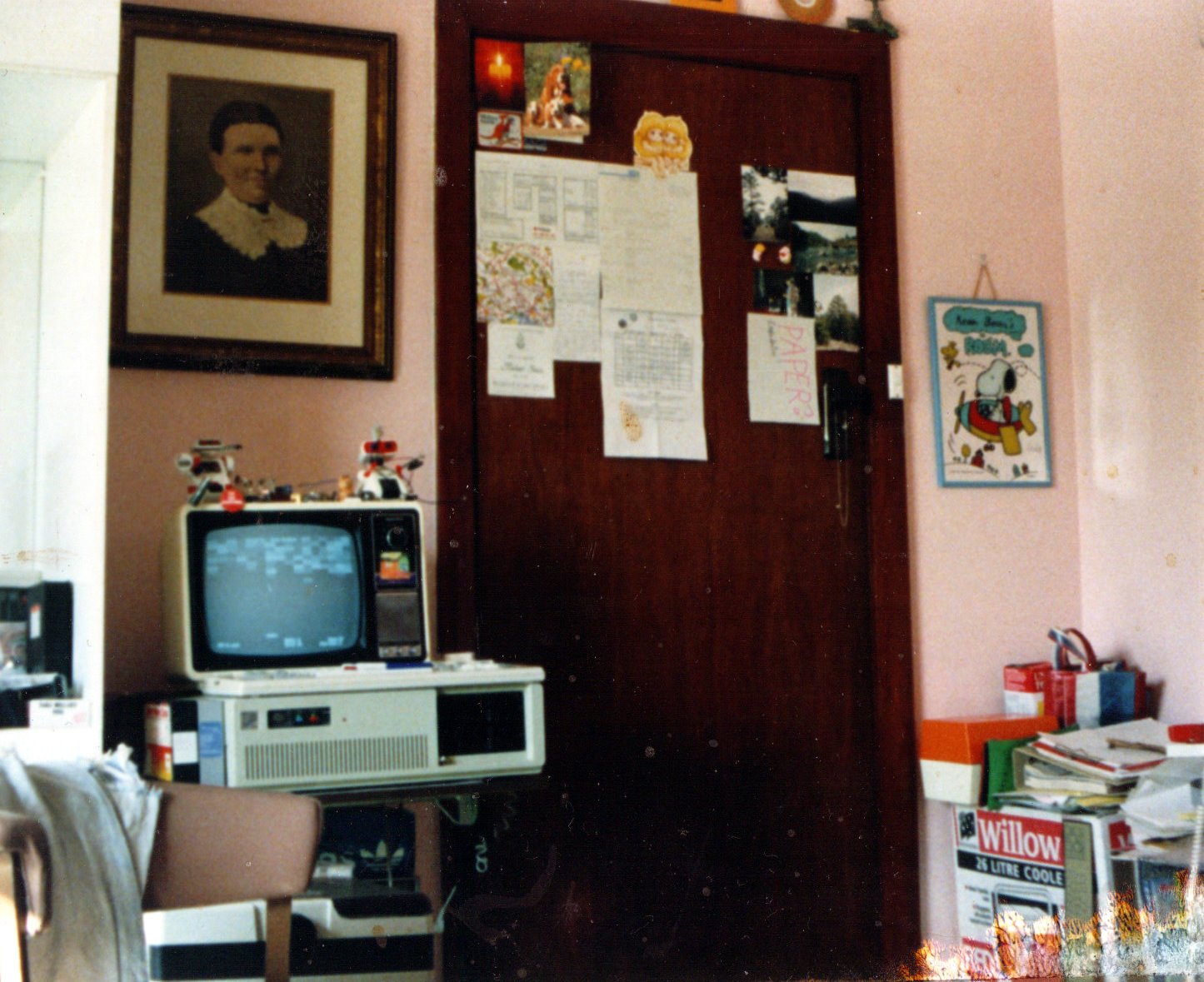
Was fine until a friend defragged it and the driver moved out of the first 10mb
Oh noooo 😭
My first one was a Seagate ST-238R. 32 MB of pure storage, baby. For some reason I thought we still needed the two disk drives as well, but I don’t remember why.
“Oh what a mess we weave when we amiss interleave!”
We’d set the interleave to, say, 4:1 (four revolutions to read all data in a track, IIRC), because the hard drive was too fast for the CPU to deal with the data… ha.
How many platters?!
30 to 32 platters. You can write a file on the edge and watch it as it speeds back to the future!
30/32 = 0.938
That’s less than a single terabyte. I have a microSD card bigger than that!
;)
Now now, no self-shaming about the size of your card. It’s how you use it!
Some IOT perverts are into microSD
Can’t even put it into simplest form.
How can someone without programming skills make a cloud server at home for cheap?
Lemmy’s Spoiler Doesn’t Make Sense
(Like connected to WiFi and that’s it)
Yes. You’ll have to learn some new things regardless, but you don’t need to know how to program.
What are you hoping to make happen?
Cheapest is probably a Raspberry Pi with a USB external drive. Look up “Raspberry Pi NAS,” there are a bunch of guides.
Or you can repurpose an old PC, install some NAS distro, and then configure.
There are a ton of options, very few of which require any programming.
Debian, virtualmin, podman with cockpit, install these on any cheap used pc you find, after initial setup all other is gui managed
I run docker services and host virtual machines from Unraid OS
Not programming skills, but sysadmin skills.
Buy a used server on EBay (companies often sell their old servers for cheap when they upgrade). Buy a bunch of HDDs. Install Linux and set up the HDDs in a ZFS pool.
Or install TruNAS and chill.
I went with Linux and BTRFS because I just need a mirror. Lots of options and even more guides.
The easiest way is NextCloud.
Raspberry Pi or an old office PC are the usual methods. It’s not so much programming as Linux sysadmin skills.
Beyond that, you might consider OwnCloud for an app-like experience, or just Samba if all you want is local network files.
These things are unreliable, I had 3 seagate HDDs in a row fail on me. Never had an issue with SSDs and never looked back.
well until you need capacity why not use an SSD. It’s basically mandatory for the operating system drive too
deleted by creator
I would rather not buy so large SSDs. for most stuff the performance advantage is useless while the price is much larger, and my impression is still that such large SSDs have a shorter lifespan (regarding how many writes will it take to break down). recovering data fron a failing HDD is also easier: SSDs just turn read-only or completely fail at one point, in the latter case often even data recovery companies being unable to recover anything, while HDDs will often give signs that a good monitoring software can detect weeks or months before, so that you know to be more cautious with it
deleted by creator
Seagate in general are unreliable in my own anecdotal experience. Every Seagate I’ve owned has died in less than five years. I couldn’t give you an estimate on the average failure age of my WD drives because it never happened before they were retired due to obsolescence. It was over a decade regularly though.
I mean, cool and all, but call me when sata or m2 ssds are 10TB for $250, then we’ll talk.
Not sure whether we’ll arrive there the tech is definitely entering the taper-out phase of the sigmoid. Capacity might very well still become cheaper, also 3x cheaper, but don’t, in any way, expect them to simultaneously keep up with write performance that ship has long since sailed. The more bits they’re trying to squeeze into a single cell the slower it’s going to get and the price per cell isn’t going to change much, any more, as silicon has hit a price wall, it’s been a while since the newest, smallest node was also the cheapest.
OTOH how often do you write a terabyte in one go at full tilt.
I don’t think anyone has much issue with our current write speeds, even at dinky old SATA 6/GB levels. At least for bulk media storage. Your OS boot or game loading, whatever, maybe not. I’d be just fine with exactly what we have now, but just pack more chips in there.
Even if you take apart one of the biggest, meanest, most expensive 8TB 2.5" SSD’s the casing is mostly empty inside. There’s no reason they couldn’t just add more chips even at the current density levels other than artificial market segmentation, planned obsolescence, and pigheadedness. It seems the major consumer manufacturers refuse to allow their 2.5" SSD’s to get out of parity with the capacities on offer in the M.2 form factor drives that everyone is hyperfixated on for some reason, and the pricing structure between 8TB and what few greater than 8 models actually are on offer is nowhere near linear even though the manufacturing cost roughly should be.
If people are still willing to use a “full size” 3.5" form factor with ordinary hard drives for bulk storage, can you imagine how much solid state storage you could cram into a casing that size, even with current low-cost commodity chips? It’d be tons. But the only options available are “enterprise solutions” which are apparently priced with the expectation you’ll have a Fortune 500 or government expense account.
It’s bullshit all the way down; there’s nothing new under the sun in that regard.
the M.2 form factor drives that everyone is hyperfixated on for some reason
The reason is transfer speeds. SATA is slow, M.2 is a direct PCIe link. And SSDs can saturate it, at least in bursts. Doubling the capacity of a 2.5" SSD is going to double its price as you need twice as many chips, there’s not really a market for 500 buck SATA SSDs, you’re looking for U.2 / U.3 ones. Yes, they’re quite a bit more expensive per TB but look at the difference in TBW to consumer SSDs.
If you’re a consumer and want a data grave, buy spinning platters. Or even a tape drive. You neither want, nor need, a high-capacity SSD.
Also you can always RAID them up.
For the context of bulk consumer storage (or even SOHO NAS) that’s irrelevant, though, because people are already happily using spinning mechanical 3.5" hard drives for this purpose, and they’re all already SATA. Therefore there’s no logical reason to worry about the physical size or slower write speeds of packing a bunch of flash chips into the same sized enclosure for those particular use cases.
There are reasons a big old SSD would be suitable for this. Silence, reliability, no spin up delay, resistance to outside mechanical forces, etc.
I thought I read somewhere that larger drives had a higher chance of failure. Quick look around and that seems to be untrue relative to newer drives.
One problem is that larger drives take longer to rebuild the RAID array when one drive needs replacing. You’re sitting there for days hoping that no other drive fails while the process goes. Current SATA and SAS standards are as fast as spinning platters could possibly go; making them go even faster won’t help anything.
There was some debate among storage engineers if they even want drives bigger than 20TB. The potential risk of data loss during a rebuild is worth trading off density. That will probably be true until SSDs are closer to the price per TB of spinning platters (not necessarily the same; possibly more like double the price).
What happened to using different kinds of drives in every mirrored pair? Not best practice any more? I’ve had Seagates fail one after another and the RAID was intact because I paired them with WD.
You can, but you might still be sweating bullets while waiting for the rebuild to finish.
If you’re writing 100 MB/s, it’ll still take 300,000 seconds to write 30TB. 300,000 seconds is 5,000 minutes, or 83.3 hours, or about 3.5 days. In some contexts, that can be considered a long time to be exposed to risk of some other hardware failure.
Yep. It’s a little nerve wracking when I replace a RAID drie in our NAS, but I do it before there’s a problem with a drive. I can mount the old one back in, or try another new drive. I’ve only ever had one new DOA, here’s hoping those stay few and far between.
cool never will buy another seagate ever though.
Same but western digital, 13gb that failed and lost all my data 3 time and 3rd time was outside the warranty! I had paid 500$, the most expensive thing I had ever bought until tgat day.
deleted by creator
I stopped buying seagates when I had 4 of their 2TB barracuda drives die within 6 months… constantly was RMAing them. Finally got pissed and sold them and bought WD reds, still got 2 of the reds in my Nas Playing hot backups with nearly 8 years of power time.
I have several WDs with almost 15 years of power on time, not a single failure. Whereas my work bought a bunch of Seagates and our cluster was basically halved after less than 2 years. I have no idea how Seagate can suck so much.
About 10 years ago now, at a past employer, had a NAS setup that housed a bunch of medical data…all seagate drives. During my xmas PTO…I was lead on DR…yea fuckers all started failing one after another. Took out 14 drives before the storage team said fuck this pulled it offline and had a new NAS brought in from EMC, was a fun xmas restoring all that shit. Seagate used to be my go to, but it seems like every single interaction I have with them ends in disaster.
Seagate was my go-to after I had bought those original IBM DeathStars and had to RMA the RMA replacement drive after a few months. But brand loyalty is for suckers. It seemed Seagate had a really bad run after they acquired Maxstor who always had a bad reputation.
Maxstor… that is a name I have not heard in a long time lol
I recently had to send back a Barracuda drive as well. I’m seeing if the Ironwolf drive fares any better.
I have heard good things about their ironwolf drives, but that’s a enterprise solution drive, so hopefully it’s worth it
deleted by creator
“Hit or miss” is unfortunately not good enough for consumer electronics.
It means you’re essentially gambling with bad odds so the business you’re giving money to can get away with cutting corners.
Lmao the HDD in the first machine I built in the mid 90s was 1.2GB
My dad had a 286 with a 40MB hard drive in it. When it spun up it sounded like a plane taking off. A few years later he had a 486 and got a 2gb Seagate hard drive. It was an unimaginable amount of space at the time.
The computer industry in the 90s (and presumably the 80s, I just don’t remember it) we’re wild. Hardware would be completely obsolete every other year.
My 286er had 2MB RAM and no hard drive, just two 5.25" floppy drives. One to boot the OS from, the other for storage and software.
I upgrade it to 4 MB RAM and bought a 20 MB hard drive, moved EVERY piece of software I had onto it, and it was like 20% full. I sincerely thought that should last forever.
Today I casually send my wife a 10 sec video from the supermarket to choose which yoghurt she wants and that takes up about 25 MB.
I had 128KB of RAM and I loaded my games from tape. And most of those only used 48KB of it.
Yeah we still had an old 8086 with tape drive and all from my dad’s university times around, but I never acutely used that one.
It really was doubling in speed about every 18 months.
Back then that was very impressive!
Yup. My grandpa had 10 MB in his DOS machine back then.
We had family computers first, I can’t recall original specs but I think my mother added in a 384MB drive to the 486 desktop before buying a win98se prebuilt with a 2GB drive. I remember my uncle calling that Pentium II 350MHZ, 64MB SDRAM, Rage 2 Pro Turbo AGP tower “a NASA computer” haha.
Our first computer was a Macintosh Classic with a 40 MB SCSI hard disk. My first “own” computer had a 120 MB drive.
I keep typoing TB as GB when talking about these huge drives, it’s just so weird how these massive capacities are just normal!
I had a 20mb hard drive
I had a 1gb hard drive that weighed like 20 kgs, some 40 odd pounds
Great, can’t wait to afford one in 2050.
Fleebay? Yup, me too!
$4.99 for the drive plus $399.00 s&h
I can’t wait for datacenters to decommission these so I can actually afford an array of them on the second-hand market.
Home Petabyte Project here I come (in like 3-5 years 😅)
better start preparing with a 10G network!
Way ahead of you… I have a Brocade ICX6650 waiting to be racked up once I’m not limited to just the single 15A circuit my rack runs off of currently 😅
Hopefully 40G interconnect between it and the main switch everything using now will be enough for the storage nodes and the storage network/VLAN.
Exactly, my nas is currently made up of decommissioned 18tb exos. Great deal and I can usually still get them rma’d the handful of times they fail
Where is a good place to search for decommissioned ones?
Serverpartdeals has done me well, drives often come new enough that they still have a decent amount of manufacturers warranty remaining (exos is 5yr) and depending on the drive you buy from them spd will rma a drive for 5 years from purchase (but not always, depends on the listing, read the fine print).
I have gotten 2 bad drives from them out of 18 over 5 years or so. Both bad drives were found almost immediately with basic maintenance steps prior to adding to the array (zeroing out the drives, badblocks) and both were rma’d by seagate within 3-5 days because they were still within the mfr warranty.
If you’re running a gigantic raid array like me (288tb and counting!) it would be wise to recognize that rotational hard drives are doomed and you need a robust backup solution that can handle gigantic amounts of data long term. I have a tape drive for that because I got it cheap at an electronics recycler sold as not working (thankfully it was an easy fix) but this is typically a super expensive route. If you only have like 20tb then you can look into stuff like cloud services, bluray, redundant hard drive, etc. or do like I did in the beginning and just accept that your pirated anime collection might go poof one day lol
What kind of tape drive are you using? My array isn’t as large as yours (120tb physical), but it’s big enough that my only real options for backup are tape or a whole secondary array for just backup.
Based on what I’ve seen, my options are a prohibitively large number tapes with an older LTO standard or prohibitively expensive tapes with a newer LTO standard.
My current backup strategy consists of automated backups to Backblaze B2 for the really important stuff like personal documents or projects and hoping my ZFS array doesn’t fail for everything else.
I have an ibm qualstar lto8 drive. I got it because I gambled, it was cheap because it was throwing an error (I forget what the number was) but it was one that indicates an issue in the tape path. I was able to get the price to $150 because I was buying some other stuff and because ultimately if the head was toast it was basically useless. But I got lucky and cleaning the head and tape path brought it back to life. Dunno how long it will last. I’ll live with it though because buying one that’s confirmed working can be thousands
You’re right that lto8 tapes are pricey but they’re quite a bit cheaper than building an equivalent array for backup that is significantly more reliable long term. A tape is about 12tb and $40-50, although sometimes they pop up cheaper. I generally don’t back up stuff continually with this method, I back up newer files that haven’t been synced to tape once every six weeks or so. It’s also something that you can buy a bit at a time to soften the financial blow of course. Maybe if you get a fancy carousel drive you’d want to fill it up but frankly that just seems like it would break much easier
More modern tapes have support for ltfs and I can basically use it like an external hard drive that way. So it’s pretty much I pop a tape in, once a week or so I sync new files to said tape, then as it gets full I swap it for a new tape. Towards the end I print a directory of what’s on it because admittedly doing it this way is messy. But my intention with this is to back up my “medium critical” files. Stuff that if I lost I would be frustrated over, but not heartbroken. Movies and TV shows that I did custom muxes of to have my ideal subtitles, audio tracks, etc. all my dockers so stuff like my Jellyfin watch status and komga library stay intact, stuff like that. That takes up the bulk of my nas and my primary concerns are either the array fully failing or significant bit rot, and if either of those occur I would rebuild from scratch and just copy all the tapes back over anyway so the messy filing isn’t really a huge issue.
I also do sometimes make it a point to copy harder to find files onto at least 2 tapes on the outside chance a tape goes bad. It’s unlikely given I only buy new tapes and store them properly (I even go to the effort to store them offsite just in case my house burns down) but you never know I suppose
The advertised values of tape capacity is crap for this use. You’ll see like lto 8 has a native capacity of 12tb but a compressed capacity of 30tb per disk! And the disks will frequently just say 30tb on them. That’s nonsense here. Maybe for a more typical server environment where they’re storing databases and text files and shit but compressed movies and music? Not so much. I get some advantage because I keep most of my stuff in archival quality (remux/flac/etc) but even then I still usually dont get anywhere near 30tb
It’s pretty slow. Not the end of the world but just something to keep in mind. Lto8 is supposed to be 360MBps for uncompressed and 750MBps for compressed data but I don’t seem to hit those speeds at all. I’m not really in a rush though and everything verifies fine and works after copying back over so I’m not too worried. But it can take like 10-14 hours to fill a tape. If I ever do have to rebuild the array it will take AGES
For my “absolutely priceless” data I have other more robust backup solutions that are basically the same as yours (literally down to using backblaze, ha).
You got an incredible deal on your tape drive. For LTO8 drives, I’m seeing “for parts only” drives sold for around $500. I’d be willing to throw away $100 or $200 on the possibility that I could repair a drive; $500 is a bit too much. It looks like LTO6 is more around what my budget would be.; it would require a much larger number of tapes, but not excessively so.
I remember when BD-R was a reasonable solution for backup. There’s no way that’s true now. It really seems like hard drive capacity has far outpaced removable media. If most people are streaming everything, those of us who actually want to save their data locally are really the minority these days. There’s just not as much of a compelling reason for companies to develop cheap high-capacity removable discs.
I’m sure I’ll invest in a tape backup solution eventually, but for now, at least I have ZFS with paranoid RAIDZ.
eBay sellers that have tons of sales and specialize. You can learn to read between the lines and see that decom goods are what they do.
SaveMyServer is a perfect example. Don’t know if they sell drives though.
Nice, where do you get yours?
also curious, buying new is getting too pricey for me
I personally use goharddrive and serverpartdeals on eBay and have had good luck, but I’m always looking for others
Never used goharddrive but can def endorse spd