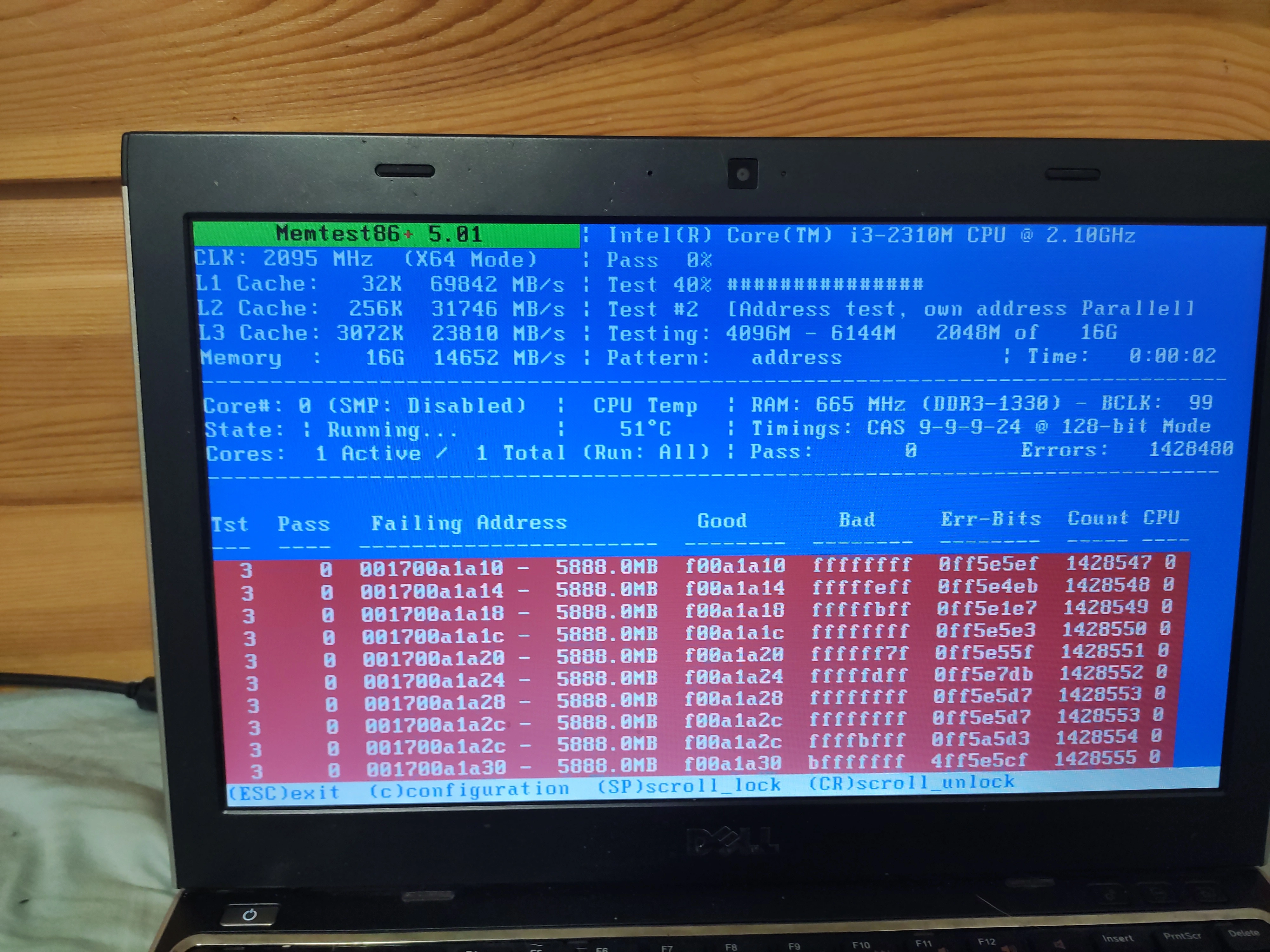
Not sure if this is the correct place to post, but I just wanna kinda rant a bit.
I’m not the only one that hates this, right?
An app can just do a “This App Does Not Allow Screenshots”? Like… wtf?
Like, its my phone, and some app can just decide to disable a fuction of my phone. It’s my phone and if I wanna take a screenshot, I’m taking a screenshot. I don’t care about whatever “security” the app developer wants.
Imagine if every online shopping app whether fast food or amazon, just used this to block you from taking a screenshot so you can’t save the records in case of a dispute.
Which android developer thought it was a good idea to let an app disable a function on your phone. Even iPhone doesn’t have this stupid concept.
Sorry for the rant.
Anyone wanna share your stories?
(P.S. I have a cheap secondary phone to take photos of the screen. “This App Does Not Allow Screenshots” my ass lmao, I’m taking the screenshot whether the app wants it or not.
I understand that for security compliance reasons. But beyond that, yupp. It sucks.
deleted by creator
Of course. When you run a monopoly, you get to make your own rules.
EU should force Google to open Android back up.
I get banking and financial apps doing it. But shopping apps yea, wish we had a permissions override
iPhone absolutely has this concept
Interesting, I never seen an app in iOS that can block screenshots.
I remember one (snapchat maybe?) that couldn’t block it so it just alerted the other person you took the screenshot. Maybe it’s changed in a decade.
You can’t screen shot in streaming apps like Netflix and Disney. When you do the resulting image is just a black screen
I find this shit hilarious.
Who the fuck is pirating a damn thing by screen shotting their phone? Can I smash the buttons 30 times a second in order to be able to reproduce the movie? No, absolutely not.
In reality, people will be taking a screen shot in order to share something, giving free publicity to Netflix. So what actually happens is that I torrent the thing I want to make a gif of, or share a frame from, thereby leaving an incentive for the people who provide the torrents to keep on keeping on.
Ticketmaster.
You can hit “take screenshot” but it results in a black frame iirc. Same for screen record.
I know Netflix has/had this if you video recorded. I thought I found a great way to download shows/movies until it was just a black screen.
I’ve seen public transportation apps doing that to curb sharing the ticket/barcode with someone else.
Time to split screen and taking a selfie via a mirror lmao
Some android apps bypass this but don’t work 100 percent but sadly, they are the only safe option.
By safe I also mean, the others you must root so you void certain updates from your carrier in many cases, you have to search the APK code and delete a line, or you have to install a certain entity which hinders your security in other ways.
Shopping apps should have, and Amazon usually lets you email a copy of a receipt anyway. Don’t know about other shopping apps. Banks and other financial institutions you would just need to contact them for records etc, and I know it is a pain.
Some browsers have settings to bypass if you are using a site that tries to stop a screenshot.
The point of many of android’s “protection” features isn’t to protect the user from apps, but to protect apps from the user. I hate it.
“Protections” are fine, as long as there’s an override for it.
User doesn’t like potential malware from “sideloading”? Then don’t enable “Install from Unknown Sources”.
Same thing with everything else, there should be an override switch.
yeah just like with mounting EFI vars on linux…
it should be possible because “root can do anything, really”, but also, it’s dangerous and should be disabled by default.
In this case, I think it’s protecting apps from other apps. No secret screen recording going on while you’re looking at bank statements, etc. I find that annoying, too, but I’m less annoyed by the reasoning in this case.
Now if Google could explain why toggling wifi through Tasker requires root, I would LOVE to hear the reasoning…
Third-party apps, unless a user specifically go to settings and find that option, don’t have the permission known as “Draw Over Top” that’s required to do screen recordings/screenshots.
Fair enough, though experience with my unsavvy family makes me think a lot of people will do whatever an app tells them to do
Or changing or just adding a system font.
Or setting a charge capacity limit.
Or adding separate quick access tikes for wifi and cellular.
The first two don’t bug me but dam, give me my 6 buttons back!! I hate these fat notification tray icons. And yes, fuck Google for making it take MORE clicks to toggle wifi/cellular than before.
Unless they changed something in Android 15, which I haven’t been able to try yet, I don’t think the separate WiFi / Mobile Data tiles were ever removed. At least they still exist on LineageOS 21 (Android 14), just hidden in the tile editor. You might want to check if you still have them there.
I just have “Internet”
That’s probably your mobile connection? Are you translating or does an English android say “Internet”?
What’s the symbol?
There’s also an option you can turn on that allows you pulling the menu down from the right side of the top of the screen, and you get the whole menu. I tried linking but for some reason I haven’t been able to upload images with my new phones for some reason. And then pulling down from the left side will just bring down the normal menu.
You can also reorganise the tiles so you have your most used in the quick bar.
It literally says “Internet” and is for both wifi and cellular data. You click it and the popup shows toggles for both along with available wifi networks and while I have organized the tiles so Internet is the first option, there is no option to separate the two. Airplane Mode is a separate tile

Pixel 7 Pro with Android 15
Now if Google could explain why toggling wifi through Tasker requires root, I would LOVE to hear the reasoning…
tbf all hardware-functions require root permission by default.
Linux does the same thing. If you want to access /dev/sda, it requires root.
I could guess one of the ways it could interfere with security is that it would probably also allow the app to disable WiFi. If the app does that, it could incur costs as now data is being transmitted over mobile connectivity. Also, it would maybe allow the app to find your mobile-IP address, which could be used to geotrack you. But i don’t know, i’m just talking out of my ass here.
But it didn’t used to. Every phone I had before the S22 could do it
They changed it the other day where airplane mode doesn’t require root. That one’s nice for me.
Never mind that shortcuts on iOS has been able to do that simple task from its inception.
When did airplane mode ever require root?
Up until Android 14 I think. Android 13 for sure does not support it.
Unless an ADB trick counts https://tasker.joaoapps.com/userguide/en/help/ah_secure_setting_grant.html
He means just for “tasker”. Not for manually selecting airplane mode.
You used to be able to do everything I wanted through tasker without root but Google has been stripping away functionality for years
In this case, I think it’s protecting apps from other apps. No secret screen recording going on while you’re looking at bank statements, etc.
I think with all the engineers at Google developing Android they could come up with a solution of how to discern whether the act of screenshot was triggered solely by the user, or an app on the phone. They are the ones in power of all the APIs that allow other apps to capture the screen content in the first place. Maybe I am simplifying it too much, but this seems as a bad excuse to me.
Maybe it would be too hard of a solution since there’s so many ways third party apps could capture screen content (including for example the Android accessibility service which also allows apps to read content of the screen and even simulate screen touches and gestures which many automation apps make use of) that blocking the screenshot alltogether is by far the most feasible solution.
For me and my family, I think the best solution would be to leave it as-is but with a way to lift the restrictions for power users that doesn’t involve root access. Something akin to enabling developer mode without having to buy a specific rootable phone
There is already a solution:
Third-party apps, unless a user specifically go to settings and find that option, don’t have the permission known as “Draw Over Top” that’s required to do screen recordings/screenshots.
So by default, a user is already safe from a malicious app trying to steal info. (That is, unless they just be an idiot and give the app “Draw Over Top” permission)
the permission known as “Draw Over Top” that’s required to do screen recordings/screenshots.
That’s not exactly intuitive. I had no idea that permission would allow an app to take screenshots. The warnings given on the permission screen mention other risks, but not that one.
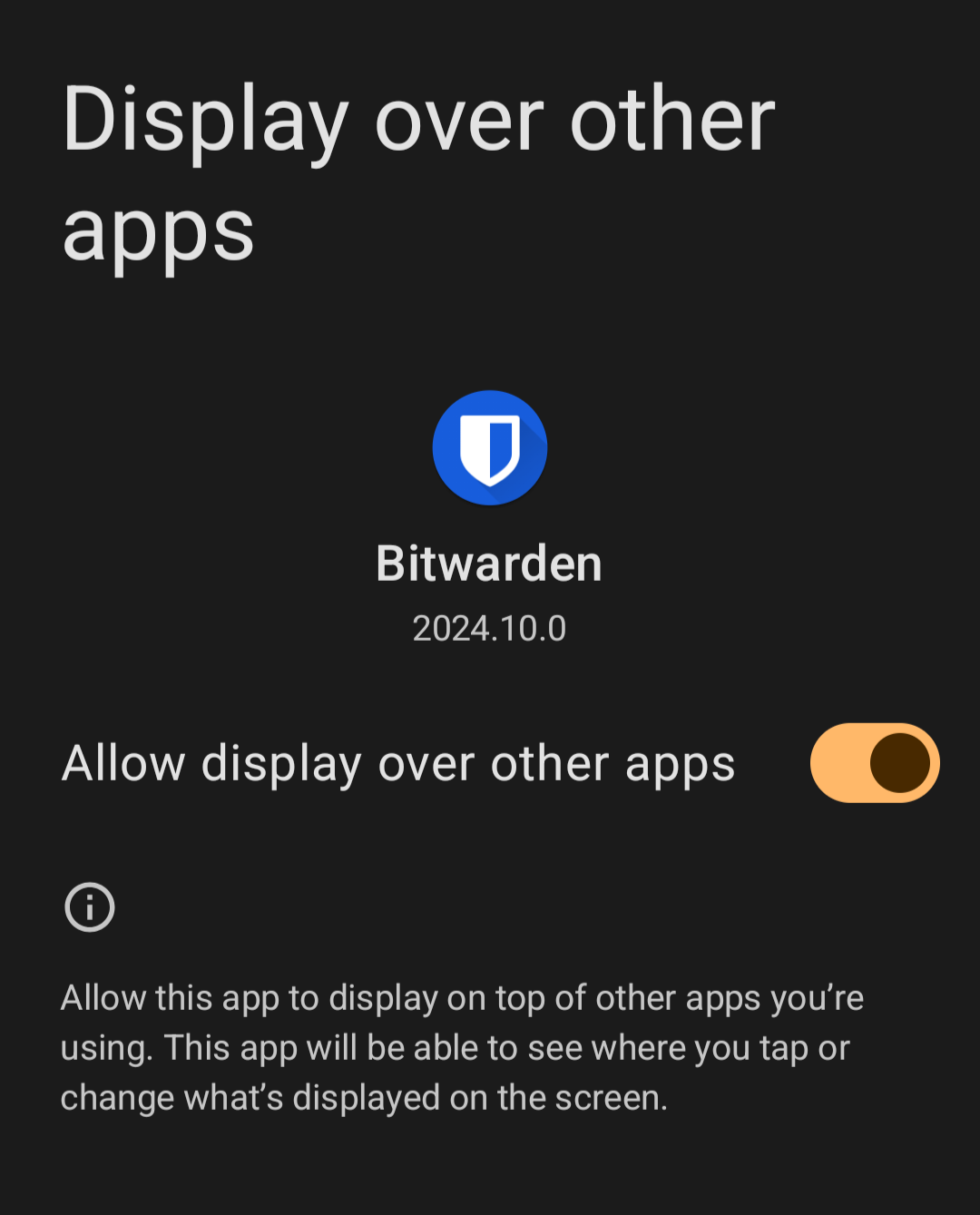
Some password managers want draw over top.
Bitwarden required it, iirc
I just looked at my bitwarden permissions and that’s not listed there…
Well you are gonna be trusting the password manager anyways, since its literally storing all your passwords. If you trust Bitwarden to store all your passwords, then you can trust it to not abuse the “Draw Over Top” permission.
Ok but why is my browser doing this in incognito mode? Incognito mode isn’t a banking app. It’s me not wanting my browser to save my Facebook login info or history.
The target use case for incognito mode is to prevent the device from saving your activity during the browsing session through things like cookies and history. To that end, incognito also blocks it to prevent other apps from saving your activity through screen recordings or screenshots.
Being able to block screenshots is “supposed” to protect users from having malware take screenshots of banking apps and other such information.
If app developers were good, this could have been a good feature.
But I agree with OP. It still should be the user’s choice.
My Banking App does have the option to disable this feature.
It’s all fine if it’s a user choice, very annoying if it’s not.
My doctor’s app does this and it annoys the fuck out of me. I get test results and I want to share them with my wife and it’s like nope.
Second phone or cheap camera off ebay…
There are also probably usb-c capture dongles that should work
Also: Split Screen + Take photo using front camera in front of a mirror.
I just open my tab switcher, then take a screenshot from there =P
You mean the “recent apps”?
What Android version?
In any recent Android versions, anything within the app in the “recent apps” would show as all white or all black in any screenshots or screen recordings.
i have 6.1 and am fully updated, and this still works for me
Android 6.1? (Not OneUI 6.1 right?)
Its must be an old unpatched bug.
(Btw, how long have you been holding onto the device? Its amazing your phone survived that long.)
If its OneUI 6.1, then thats weird, since I’m also on OneUI 6.1 and it doesn’t work.
OneUI 6.1 is Android 14 btw, Android Version =/= OneUI Version
Yes, ‘recent apps’; I never knew the name. Currently using Android v14, this method still works fine for me.
Doesn’t work on android 15 for me

I understand the reasoning for it since many apps can see photos on your device so if it is something that should stay private you probably shouldn’t be taking screenshots anyway, but I also can see how it could be annoying. I quite like the feature on messaging apps actually.
That’s nothing. My workplace disabled copy/paste on everyone’s work iPhones completely. Not in their own apps but system wide. Apparently that’s something ios allows them to do. Doesn’t affect me much because I use the phone as a glorified dual auth token but some people have it as their primary phone.
work iPhones
some people have it as their primary phone.
Bruh, I have no idea how people can put up with their employer being able control their device. Like… the employer can freak out about some perceived “security breach” and decide to wipe everyone’s phone and you lose all your data like photos. Also, their employer can see if they are shit talking about the employer or mangement people, and it’s a terrible idea if they want to unionize.
They are okay with it because it isn’t their phone. It’s a free phone that comes with the job.
“Free”
hmm I rather not… like its not just “privacy” you’d have to worry about, there can be potentially a rogue employee of the company just stealing all your bank info and possibly steal your identity. Might be a “free” phone, but there’s just much more risks than just getting a cheap android phone. People don’t think this though and only think about the “free”. Dealing with identity theft is not fun. If only people understand the risks… 🤦♂️
Don’t put personal stuff on your work phone. Use your own phone for that. If you have trouble carrying both, hit the gym.
Yea exactly. I would just carry 2 phones, but I’m just saying: I don’t understand how other people just use their work phone for personal use simply because it’s “free”
Obviously they are less concerned about things you are quite concerned about. I’m sure there are things that concern them and that you don’t give a shit about.
Yes it’s just a terrible idea. People do all sorts of dumb things though.
As an IT guy that manages MDMs, no we cannot see communications on the device
As another guy that does, yeah we can push ediscovery apps to the phone and pull all kinds of data
Something I’ve been dying to ask an industry expert. If your users setup a second user profile on android , and exclusively uses the second profile for work-related apps (assume full control), can you see the contents of the first (unrelated) user profile?
My work phone battery lasts for like 5-6 days because I only have Slack, MFA app, and outlook on it. It’s crazy to use it for personal use
I have never heard of copying and pasting being disabled in iOS. I’m sorry, but this claim is dubious.
The only apps where this makes any sense are dating apps and similar social apps where a level of social vulnerability is more likely.
Otherwise agree that all others are BS.
Password manager. Bitwarden does this. Signal too but that falls into your social media category.
Drives me nuts too! Signal at least has a toggle for it, so the user can decide. I wish more apps would do the same, maybe with a pop up warning explaining the risks.
You can root your phone to remove all security features, if you don’t mind malware having full access to your data. You should probably cancel your debit and credit cards if you do, and lock your credit score, cause if you’re doing stuff like that you won’t have to wait long till Have I Been Pwned notifies you you’re in a data breach.
Many (maybe even all) banking apps won’t even install or launch if your phone is rooted.
Yea… I though about rooting, but heck no, too much security problem, I don’t want more anxiety. Guess I’ll just have to keep use my cheap secondary phone to take pictures as a workaround… 😓
Rooting doesn’t automatically give root permissions to just any app that wants it - you still have to allow it.
I like that it’s possible, but I think it should be treated like a permission with a user accessible toggle in settings for each app.
I would like to see the same thing for clipboard read access. In the same way app has to prompt you for location permission it would have to prompt you to read the clipboard and you would actually have the option to allow it all the time which is handy for some apps like clipboard manager, or don’t allow it alltogether which is handy for some random apps you don’t trust.
Oh yea, something needs to be done about the clipboard. It’s unsettling to know that a random app can just get your clipboard. Sometimes bitwarden doesn’t detect a password field for some reason so I have to copy it to the clipboard 😖 don’t feel safe…
I believe Bitwarden has a setting to “wipe” the clipboard after some time.
Not perfect, but better
You can install Shizuku and AppOps to set default permissions for new apps and limit clipboard permission for installed apps.
I’m assuming those require root?
I’m not really into rooting. More attack vectors. I have rooted in the past and managed to brick some phones, not really in the moods to destroying stuff.
Does it have a virtual keyboard?
It’s a really good feature imo and I’d love to see it be more common. This is how iOS does it:
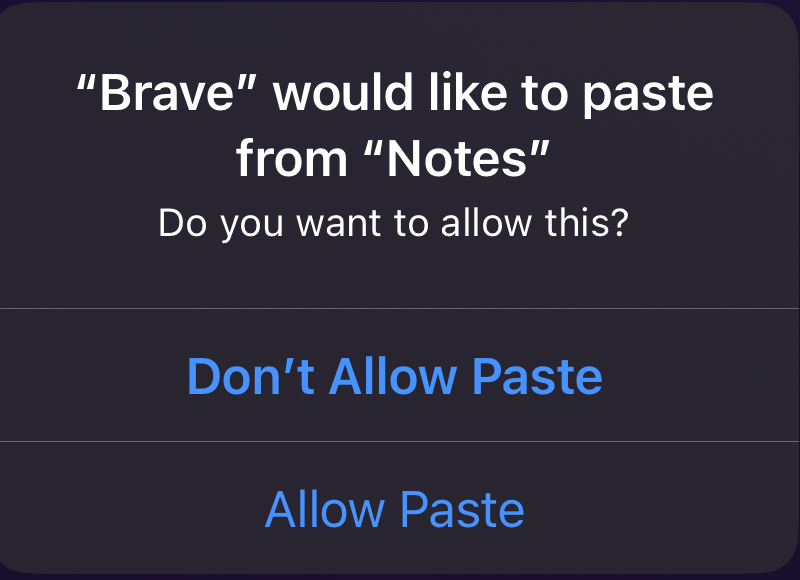
It could be nice, but also annoying in some cases. I would at least want to have an option to allow all the time.
and preferably an option of “ask everytime as yes no”