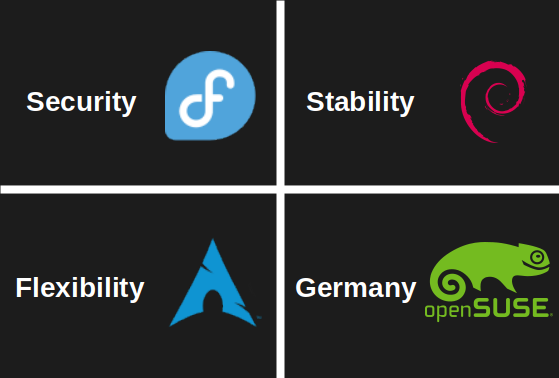

From my experience of Fedora: would you like to update today? Debian: You’re good bro, no updates today.
5, years, later…
Debian: You’re good bro, no updates today.
I would have put OpenBSD in “focus on security”. Or hell The only prebuild thing their is pain, pain and suffering
I actually run OpenBSD on one of my ThinkPads, but I was only including Linux distros in this.
BSD isn’t linux. Or am I mistaken?
It is not
Don’t forget SUSE’s focus on SAP… Which is also Germany I guess
Its Germany’s version of oracle. A strategic reserve of evil.
Somehow, I feel called out.
for security, use Tails, Qubes, Whonix, or if you want gaming + security, then Bazzite or Garuda
You’re confusing security with privacy. While distros you mentioned are great for preventing ISPs and governments from spying on you (privacy), they’re not really any better at preventing hackers from exploiting your vulnerable web server than fedora (security).
While distros you mentioned are great for preventing ISPs and governments from spying on you (privacy),
How do they do that?
I’m not really expert in this topic, but as far as I know tails is amnesiac os that forgets everything on reboots for example. Both whonix and tails also routes your traffic through TOR which helps hiding your identity.
Concerning other mentioned distros and also security wise, this comment explains it lot better than I would: https://lemmy.zip/comment/15305364
no, Qubes, Bazzite, Garuda were made with security in mind. Containerization, selinux enforcing, hash checks, address space layout randomization is also built in. These are all more secure than Fedora. Qubes for example, uses vm containers to completly isolate every app, so the system is almost impossible to compromise by malware or hacking. Bazzite uses immutable root file system, much like stock android. it may not along well with unix philosophies, but there isn’t really a way for a malicious code to run with elevated privilages or to manipulate system files. Garuda automatically creates snapshota from the system, so if it is compromised, it can be rolled back quickly. Snapshots for external devices or cloud are supported as well. It uses zram compression on swap, this helps avoid data leakages to the disk, so makes sure that after a reboot, every session quits, since data from ram can’t leak on the disk. it also uses firejail and chaotic aur sandboxing. There is a smaller support for secure boot too. So these are all highly secure operating systems. And to some degree, privacy and security overlap each other.
Yeah my bad, you’re right. I got too stuck on tails, which is in my opinion more focused on privacy than security, and ignored everything else.
Tails in itself is reasonably secure too, but it was mostly designed for use with public computers and forensics, and ofc to conceal network activity that might seem suspicious. And it is a good solution if you need a portable linux, and your android phone is not a good choice for your use case.
shitstemd, glibc, bloated kernel, sudo and proprietary blobs are not secure
yet he can’t write a web server with c from scratch. Curious.
(yes I’m mirroring)
More accurate i would describe Fedora is:
Adopting Modern features first(Wayland,pipewire,etc Like there is no x mode in most stable Wayland desktops) and only having free and open source Repos(Rpmfusion can be added but its not official and excludes the Kernel drivers).Danke für dies handbuch
Sorry I dont speak swedish would you mind translating?
I think, a more serious attempt to summarize openSUSE would probably be: Functionality
Debian, Arch, Fedora and such are all weirdly similar in that they focus so much on minimalism. For example, Debian uses
dashas the default shell, which breaks TTYs, but possibly squeezes out a tiny bit of performance, so I guess, that’s worth it…?i used Tumbleweed with KDE. It is something i can recommend. Not that customizable, but it has tons of features and very stable for a rolling distro. It only breaks if you try to customize stuff too much
still much more customizable than GNOME
Debian only uses dash for the system shell, and it does improve performance a bit given how many shell scripts run on a typical Linux system. Interactive shell is still set to Bash by default.
Flexibility translates to unpredictable.
I’ve never had any issues with my Arch install being unpredictable. It has always worked exactly as I expected it to, even though I update it every couple of days.
I’ve been using Arch since 2014. If I could be arsed, I could write you a looooooooong list of regressions I’ve had to deal with over the years. For an experienced Linux user, they’re usually fairly easy to deal with, but saying you never have to deal with anything is just a lie.
My experience with Arch is basically: it’s all very predictable until it isn’t and you suddenly find yourself troubleshooting something random like unexplainable bluetooth disconnects caused by a firmware or kernel update.
What you’ve said is true, though it’s a bit of a trade-off – over the years I’ve wasted so many hours with those “user friendly” distros because I need a newer version of a dependency, or I need to install something that isn’t in the repos. Worst case I have to figure out how to compile it myself.
It’s very rare to find something that isn’t in the Arch official repos or the AUR. Personally I’ve found that being on the bleeding edge tends to save me time in the long run, as there’s almost no barriers to getting the packages that I need.
What you’ve said is true, though it’s a bit of a trade-off
Yes, and that’s why after more than 10 years I still use Arch. I like having the latest version of things and I’m confident enough in my abilities that I know that if something breaks I can always either find a fix, or at least identify the offending package, hold it back, report the bug and wait for the issue to be resolved.
There are times where it can be trying though. The first plasma 6 releases for example were rough. More recently, I’ve also been having issues with 6.11 and 6.12 kernels and my ax200 wifi that I only recently found a fix to. My wifi would freeze whenever I started streaming video from the PC to my TV, but only in kernels after 6.11. Turning off TCP segmentation offloading with ethtool resolved it (
ethtool -K wlan0 tso off). You don’t want to know how long I had been pulling my hair out at that issue until I found the fix.
Did you consider that the problems you have might not be problems that other people experience? I very highly doubt our two systems are at all similar. Your experience is just that, yours, and so you don’t have any right to be arbitor over whether or not I’m lying.
That’s such a cop-out answer and totally missing the point. I’ve run Arch on 4 different systems, and yes I had different issues on each and sometimes issues that hit across the board.
At the end of the day, whether or not this was just my personal experience doesn’t matter. What matters is that the issues were always caused by what Arch is: a unstable rolling release distro that pushes out the latest version of upstream packages, bugs and all. Sooner or later some will hit you, telling yourself and other people otherwise is deluding yourself and those people.
Yeah, and sooner or later, I’ll die of old age, or cancer, or an accident, or get audited on my taxes.
None of those things have happened yet either. Not only that, but the same is true for every operating system that has ever existed, or will ever exist, including every distro of Linux.
Here’s the thing: your answer is both invalidating and ignorant, and it shows a lack of understanding of what differentiates Arch from a stable distro.
- My wifi, that had been working fine since I installed this computer in 2020, broke in kernel 6.11 and 6.12 because Arch pushed those updates.
- Early plasma 6.0 releases were rough as balls for months, because Arch pushed those updates.
- My bluetooth, that had been working since I installed this computer in 2020, started to randomly disconnect sometime last year due to buggy firmware updates because Arch pushed those updates.
- Hell even plain old intel ethernet on my old system from 2014 suddenly started hanging up under load a year or two ago (never found the cause, did find a workaround).
None of these issues were a fault of my own, all I did was
pacman -Syu, and none of this would happen on a stable distro. I’m not saying Arch is shit because of this, I’m saying: beware of what you are getting into when you choose Arch: for every single package on your system, you are effectively at the mercy of whatever “upstream” decides to shit out that week. Being delusional about that fact and having guys come crawling out of the woodworks everytime this is mentioned, saying platitudes like: “I nEvEr HaD aN iSsUe” doesn’t help anyone.Yeah, neither does “eVeRyOnE wIlL hAvE pRoBlEmS”. Kinda a stupid thing to say, all things considered.
It has always worked exactly as I expected it to
Just expect it to break, then it will behave as expected taps head
Well I set up automated timeshift on btrfs, so maybe that’s why it’s playing nice.
imagine if you update it after 2 weeks. Arch is okay, if you keep backups. otherwise, you are basically playing a russian roulette
absolutely not. look at nixos.
What? I love Arch, it’s so god damn stable and fast.
Once i get another machine to dick around on ill try installing arch.
i started learning about linux 4 months ago. Installed Arch with archinstall pretty easily to a VM, it booted up no problem. But you have to manually install the desktop, if you want a gui (who doesn’t lol). But there are many desktops for Arch, the most common ones have pretty good documentation. But if i were you, i’d experiment with some more niche desktop emviroments
I haved used many distros and DEs. my favorites are keyboard driven like i3 and such. For now i use fedora because i needed something to work out of the box. I would like to stay in the terminal.
i tried lxqt and gnome. those were disappointments. And i used kde and cinnamon too, those are good
No need to manually install desktop environments, archinstall also does that (Profile --> Desktop).
i didn’t have that option in Archinstall
You did, probably just didn’t see it ;) It’s been part of it for years, since around 2020 according to GitHub. But to be fair, calling the option “Profile” might not be very intuitive for some people, so it’s easy to miss.
Just use kvm/qemu and install it. When I want to play with detailed setups I install slackware and start configuring/compiling.
Mint: easy
Mint: come for the ease of installation and use, stay because it’s just Ubuntu and Debian under the hood so it has tons of support, and the terminal is right there if you need to out so some real shit.
I think mine doesn’t roll off the tongue in quite the same way.
Ha. You want STABLE, use NixOS.
If you’re cannot parse the configuration file, you don’t update. It is perfectly, 100% stable, about 60% of the time (when I change my config file without an error).
nixOS appeals to niche audiences who like to brag about it. I think it is not a good idea to base everything on config files, since there is a lot of room for user error
Not to mention it is a utter pain in the ass.
With that being said, if just the package manager was a config file and there was a reasonable CLI then I could get on board.
The config files literally won’t compile if there is an incompatibility or error in the code.
Also, every distro has an audience who love to brag about it. The worst part of being a Nix user is I can no longer say “Arch BTW”.
Oh you don’t use arch? Don’t worry bud you’ll get there some day.
Nixos: everything everywhere all at once
Good for you there wasn’t an “ease of use” or “intuitive” field.
nixOS is for people who love config files
NixOS is for people who have accidentally uninstalled 90% of their system because they didn’t pay attention to what other packages depend on the thing they were uninstalling and were desperately looking for a an undo button.
you don’t even need to know where, you don’t even need to know when. that’s how every it gets
I’m still a Linux noob all things considered, and I’ve been using NixOS for six months or more.
It is HARD, but I see the true value of it. I will never need to reinstall Linux because I broke it, that’s simply impossible.
If I ever need to migrate my system, it’s all backed up to github. With a single
Bash update.shevery single .config file backed up, system upgraded, all packages updated.
I just love Nix, it’s the perfect OS for me.
Now I just need to learn how to use flakes…
Sidebar: I’ve never asked before, but maybe someone can help me out. If I install a flake of an application, am I supposed to add it to the existing flake, or can I modulate flakes?
I’ve noticed when installing the nixvim flake it generates a new flake and it runs when I issue the
nix run ~/.dotfiles/nixvim/flake.nixcommand, but I don’t want to have to run that command every time. I feel like making a fish abbreviation isn’t the correct way of doing this.
So I’ve only been using nix about a year and only used flakes. I use in two ways.
First, I have my main nix flake. Most everything is controlled from that. It has several outputs from full blown nixos builds per host or some home manager builds for non-nixos systems.
Third-party flakes I use as inputs to my own flake then use the override system to inject them into nixpkgs. Then I just install whatever like normal from nixpkgs. I can either override an existing pkg (neovim nightly replaces regular neovim for me), or you can just add as a new package to nixpkgs by using a different attribute name.
Second way is for projects with their own repo. I’ll add a project flake that has a devshell with direnv so as soon as I enter that directory it sets up a sort of virtual environment just for that project. You can add outputs to it so others can use as a third-party flake.
My main starting point was https://github.com/Misterio77/nix-config for this design.
NixOS is from Max Verstappen country not Sebastian Vettel country
I think I’ve put fedora on at least 4 personal systems and it has never caused an issue. It’s so smooth it’s boring in the best way. Switched to it for daily computing about 4 years ago. I use a minipc as a media server with Arch and turning it on it’s exciting. Just this fucking morning the default configuration decided that my main audio device was a microphone. Lovely. So flexible.
I eventually landed on Fedora too. Its level of “it just works” is amazing.
Right!? Almost everything I need is one dnf command away with minimal setup on my part.
On the other hand, my server running Arch testing has never had any issues. In fact, the only issue on any of my devices, all Arch testing, was nvidia.
This is a YMMV situation. I had Gentoo running on a minipc for a while and it never had any random issues pop up. Any screw up was fully traceable to configuration and entirely my fault. It was kinda funny. Hope your server stays healthy.