
- cross-posted to:
- comicstrips@lemmy.world
- cross-posted to:
- comicstrips@lemmy.world
You must log in or register to comment.
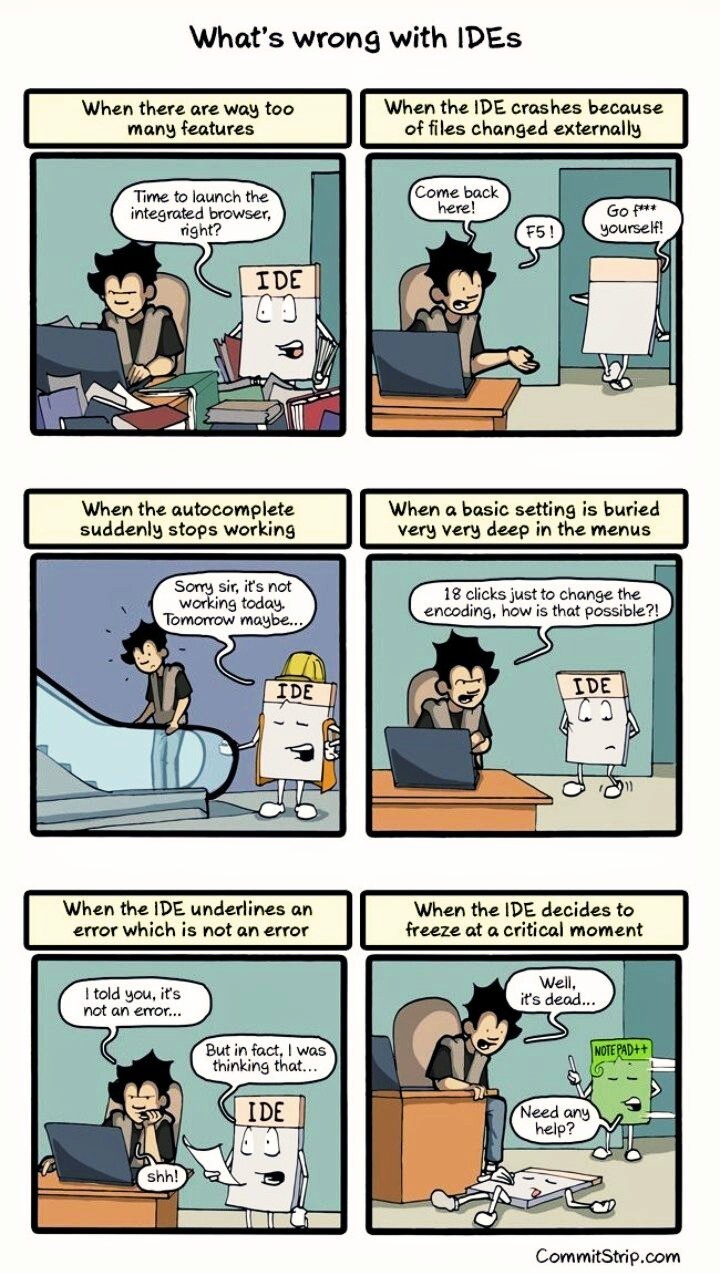
#1 and 3, definitely, although 3 is usually not really the IDEs fault.
The others, either not really (#2, 5), who cares, (#3), or maybe occasionally but not really specific to IDEs (#6).
How is #6 not specific to IDEs? I’ve never had vim, np++, or any other dedicated editor freeze; and I’ve used them to edit multi-gigabyte log files before.
Definitely #1. I’ve encountered #2 with a very specific IDE and #4 and #5 on occasion.
Before I started reading the meme I actually thought “just use Notepad++”.
I can’t live without VIM keybinds. Maybe I’m a boomer. I do use it as a note taking or “collect my thoughts” app. Or just a place to paste shit when I’m working. Very useful for that. Though only when I’m forced to be on Windows.
I’ve had everything on this list with Visual Studio alone, with the exception of #2 maybe.
-
All the AI shit they’re adding, plus the millions of windows you can pull up that are all hidden in different places. The only way this is remotely usable is with the search.
-
This happens every other day when working with Blazor. As an adder bonus, it can never decide on spacing and will constantly change it.
-
Probably a symptom of using legacy code and modern code at the same time, but good god the settings for everything are in a million places.
-
Another symptom of blazor.
-
Our project is too big.
You should refer to Visual Studio by its full name as shown in the title bar: “Visual Studio (not responding)”.
-
All of those are things that have happened to me (except an IDE that could not handle externally edited files). They are very rare occurrences, but still annoying when I have to get something done.
I mainly code Java with IntelliJ.
- it doesn’t AFAIK have an integrated browser or if it does I have never encountered it ❌
- I have not seen it crash a lot and certainly not for the stated reason ❌
- if autocomplete isn’t working, that is a sign something about the build process isn’t set up right, so other things won’t work either ❔
- basic settings being buried deep in the menus is definitely a thing ✅
- if it underlines something, that has always been an error, I think it calls a real Java compiler for this ❌
- freezing at critical moments can occasionally be a thing ✅
It has an integrated browser in Ultimate, not in Community.
No, it only has an integrated html previewer. They removed the full integrated browser because it was unnecessary and an actual browser did the trick
basic settings being buried deep in the menus is definitely a thing ✅
Nah, there is:
- A special hotkey that allows you to find and execute virtually any command. Same in vscode with ctrl+shift+p.
- Text-based search in the settings dialog.
So even though things are buried somewhere deep, it’s easy to find them.
freezing at critical moments can occasionally be a thing ✅
Sounds like a
skillhardware issue tbh.
At least the number of times I have to use the Clean Java Language Workspace in VS Code has declined recently. I mean, I still have to, just not as often.
Also using 10GB memory …
deleted by creator
When I started working for my current employer, I was surprised by how much ram my VDI has. We’re not allowed to code on our own devices (but those are still specced out) but 64 Gs of ram in a virtual desktop was a welcome environment to work in.
It’s almost enough to make me feel nostalgic for the DOS version of Borland Turbo Pascal, which wasn’t bright enough to do any of this stuff. (Well, it could freeze up, I suppose, but the only time I actually managed to do anything like that, it involved a null pointer dereference that would have triggered a segfault on any modern system.)
Just use vim, it usually comes preinstalled
Unless you need to work on a solution with more than a few projects, such as Unity games. Then the LSPs go haywire and eat 20+Gb of memory.
For a few files, sure. Idk how I’d use that on the large corporate Java codebase that I usually work with though. Despite all its memory hogging and unnecessary features, IntelliJ also proves remarkably useful when trying to find anything in these mega projects. Features like ctrl + clicking on a method call to get to its definition (even when it is in a different project that I don’t have checked out), the refactoring tools, the debugger, etc are absolutely necessary to get anything done.
Maybe use tags for that but I’ve never personally messed with it.
vim fast, IDE slow, I use vim because I’m impatient
IIRC vi has been installed, or perhaps tinyvim, then I always go and install vim-gtk
Thanks for sharing this here 😊😊😊
I really never understood what benefits an IDE has over Notepad++, they take up SOOOO much drive space for me when all i want to do is make a mod to someone elses file…
If you all you need a text editor… great. But an IDE gives you tons of tools, such as debugging, breakpoints, memory inspection, intergated terminals, some may even include visual gui editors. Thats why they are called “Development environments”.
debugging, breakpoints, memory inspection
glorified printf debugging
intergated terminal
real terminal
You get the most out of them when working on bigger projects with many files and multiple contributers:
- Version control integration
- Automatic profiling
- Debugger integration
- Refactoring
- Jump to Definition/Parent/Children/Usages of a Symbol
- …
For changing a single file, I’d often just launch a simple editor too.
Version control integration
Almost always garbage, in my experience. Except for merge conflict resolution. That’s unbelievably nice. But git command lines have always been more reliable and less likely to end up with broken local branches.
Seriously though. The merge conflict resolution in three panes is super nice.
Meanwhile: vim and Emacs users, constantly installing and configuring plugins to emulate a fraction of the power of IDEs, go “just use vim/Emacs”.
What is that hyperlink?
I swear to God if it is what I think it is, I’m going to jump into fucking traffic carrying as many baby ducks as I can.
What do you think it is?
It looks like they put a license of use on their comment
So, you’ve never actually used Emacs?
And possibly also never used vi either?
LOL. Let me guess “just use Emacs/vim”?
No thank you bruv. Been there, done that. Terrible experience.
https://github.com/emacs-tw/awesome-emacs
https://github.com/lunarvim/lunarvim
All of these emulated only a fraction of the power of IDEs, even after weeks of trying to get them configured properly.
Inb4 “you’re doing it wrong”. Nah mate, IDEs work out of the box and don’t require opening a text file to change settings while going through reams of documentation.
I right click in a file and it shows me the most important contextual commands. No need to find the " leader key", scroll through all the 1 billion commands, I don’t have to “download a LSP and DAP” then “configure treesitter” or whatever the fuck kind of apes are in the editor.
Those editors have steep learning curves and get you productive eventually. IDEs get you there much more quickly. Yeah yeah, they hide complexity and “people don’t know what’s actually going on anymore” but sometimes I just want to get going instead of fighting my editor first. Feel me?
All those wondrous IDEs were nowhere to be found 20 years ago, especially if you didn’t run windows. While Emacs did it all and more.
So yes, you had to read the documentation. That’s what we did back then. We still do it when someone can be arsed to write one.
We’re not 20 years in the past, old man.
I know, back then people knew what files and directories were. Good times.
VSCode is the first development environment I’ve used that doesn’t make me feel like this. It’s not perfect but the base application is rock solid and the full DE experience is the more reliable than any other DE I’ve used.
P.S. I specifically said DE for those people who say VSCode isn’t an IDE. Personally I don’t see the point in differentiating.
P.P.S. Sublime is not a DE in my opinion. It’s an excellent text editor with syntax highlighting. The plugins were an afterthought and it was never intended to provide the full experience. Granted I haven’t used it in years.
VSCode is by far and away the best thing Microsoft has ever done. (I’m sure therefore they will ruin it eventually, but that’s a separate issue)
Its good for two main reasons IMO:
-
It is plugin-based
-
It is (therefore) language-agnostic
Plugins mean the DE starts as a very lightweight thing that is basically nothing more than a text editor. You can then add as much or as little as you want to get the level of features you are comfortable with but without being too bloated.
And then, because it’s all plugins, you can work with any language and still stay within the same editor. Divine.
I personally love how lightweight it is compared to a full IDE because I don’t like it when IDEs hide the magic behind UI. Press the button and it compiles huh? But how? What’s going on there? What toolchain and commands are being executed?
I much prefer a good MAKEFILE where you know what your entry points are and what is going on, because it makes everything so much more portable and also improves your own knowledge and understanding.
Yeah it’s great because even without a make plugin, you can just add your make command to the vscode actions that’ll run your makefile.
Or even better, get the plugin which will auto populate targets from the makefile lol
-
The IDE is the worst part of being an iOS developer.
I legit swore off the entire OS when one of my teachers forced us to use macOS + X code to write Objective C code
Yes, and the worst part is that XCode is only available on OSX.
I once had to make an iOS app once and didn’t have a Mac so I developed the entire thing in a VM. There was no video encoding, the FPS was in the low single digits, which made it very difficult to even type. So I ended up writing the code using VSCode through SSH through Wireguard connected to the VM on the host machine, which actually worked surprisingly well. But hey, the app did work in the end.
Wait how can you run Mac OS on a VM?!?
I used QEMU but I don’t think it’s possible anymore