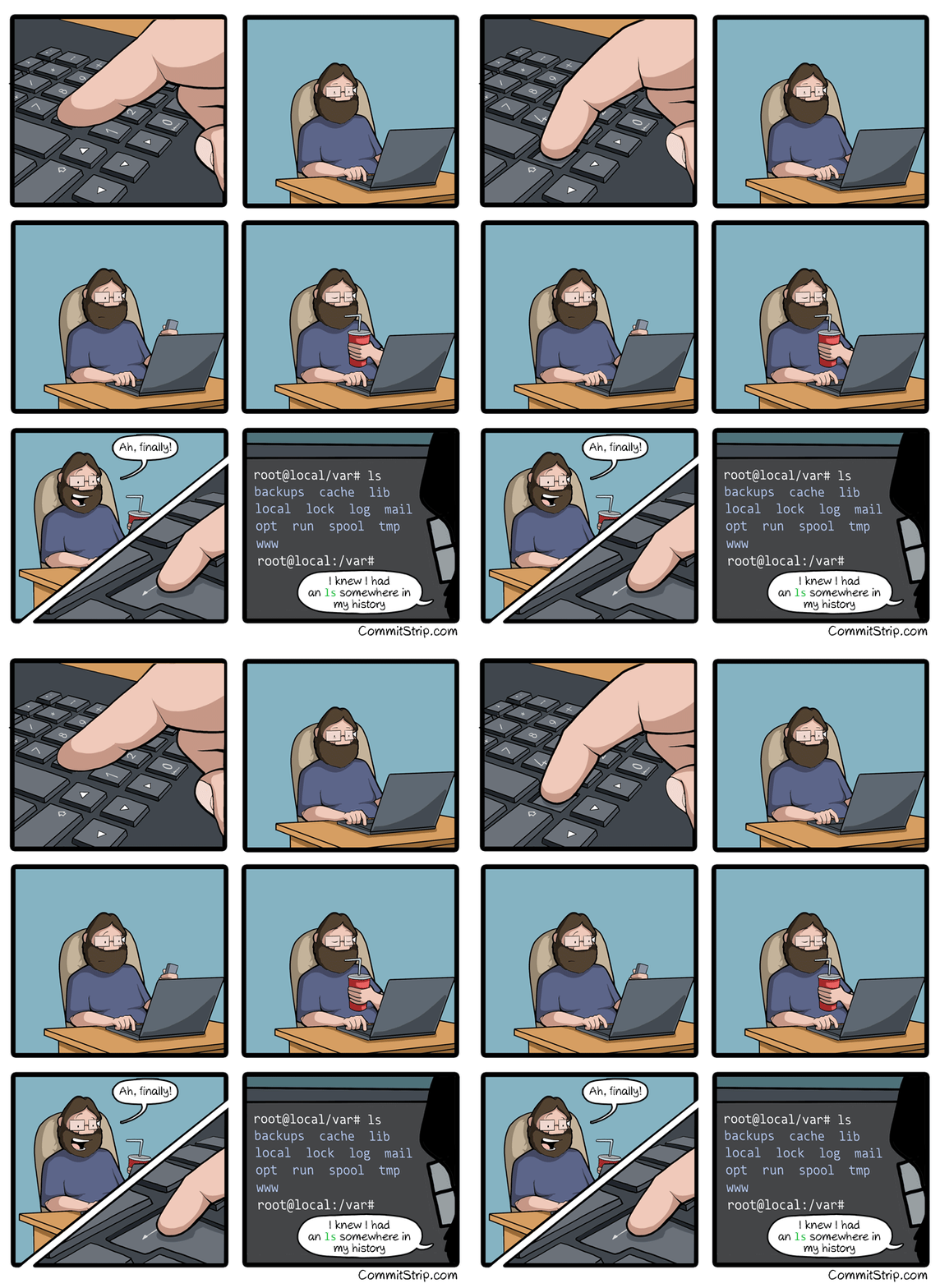
I love this one but is the gif moving at 0.5 frames a second or is it just me

Normal for me. Thanks for pointing out it was a gif. I never realize they’re gifs because I have to “open in external” for them to actually move.
It works fine for me if I click on it but the embedded one is stuttering.
For me, it looks normal (about 8 frames a second, probably).
Pretty much, yeah.
Rather than jot down in a text file the various
ffmpegcommands I use frequently…Raktajino@laptop:~/Downloads$ history | grep ffmpeg 12 sudo apt install audacity gimp ffmpeg mplayer 215 ffmpeg -i source.mkv -ss 629 -t 7 out.mkv 217 ffmpeg -i out.mkv -s 0.5 -vf scale=1280:720 out.mp4 218 ffmpeg -i out.mkv -ss 0.5 -vf scale=1280:720 out.mp4 231 ffmpeg -i out.mp4 -vf "subtitles=out.srt" final.mp4 503 ffmpeg -i toofat.wav toofat.mp3 ... 682 history | grep ffmpeg 684 ffmpeg -i 1.gif -i 2.gif -filter_complex "[1:0] [2:0] concat=n=2" out.gif 685 ffmpeg -i 1.gif -i 2.gif -filter_complex "[1:0] [2:0] concat=n=2:v=1" out.gif 686 ffmpeg -i 1.gif -i 2.gif -filter_complex "[1:0] [2:0] concat=n=2:v=1" -map '[v]' out.gif 688 ffmpeg -i 1.gif -i 2.gif -filter_complex "[0:0] 12:0] concat=n=2:v=1" -map '[v]' out.gif 689 ffmpeg -i 1.gif -i 2.gif -filter_complex "[0:0] 1:0] concat=n=2:v=1" -map '[v]' out.gif 690 ffmpeg -i 1.gif -i 2.gif -filter_complex "[0:0] [1:0] concat=n=2:v=1" -map '[v]' out.gif 691 ffmpeg -i 1.gif -i 2.gif -filter_complex "[0:0] [1:0] concat=n=2" out.gif 694 history | grep ffmpegwao
I’m begging you to use CTRL+R
If you have a fzf or other plugin installed, great. the vanilla Ctrl R is kinda mid in most shells IMO
It’s still lighyears ahead of hitting up forty times.
I like, how ‘history | grep ffmpeg’ shows up twice
I like how I was courageous enough to not fix the actual typos/failed commands in the actual history lol.
4 times
just use
atuin.Atuin is so good, especially with multiple machines. I just would love more comp. time options to disable the dot dotfiles feature etc.
ese lo tengo, es muy bueno
Set -o vi
Ctrl + R and start typing the command, it’ll come up, press enter. Im just more lazy because I know there are still faster ways.
Oh my freaking god thank you
Note: if the above isn’t working, you may need to first set your shell to accept emacs commands:
set -o emacs
You’re in vim, you forgot to sudo, the file is read only and you have loads of changed you don’t feel like saving off to /tmp and playing the copy file shell game.
[esc]:w !sudo tee %
it shoves the current buffer through tee (termina adapter) with sudo privs vim will warn you that the file changed, just [esc]:q! and don’t let it save, you already saved it.
I don’t see how this is relevant but thanks for the tip.
Fuck that hits so hard.
Care to explain to an uninitiated?
Every time you hit the up arrow, it shows the previous command you used in the terminal.
So hitting the arrow once gives your last used, hitting it twice gives your second to last command, and so on.
Yup and that is me. I could just history grep the command I want but I SWEAR it was just 2 commands ago, or 15 up arrows. lol.
Ohhh! I can absolutely relate to this as well! Using a zmud client to play games on. which is probably not much different, looking, than a terminal anyways
Multi user dungeon? What do you play?
Nah just save all your commands in a text file on the desktop then make an alias to open it in nano so you just have to type “com”. Works for dumb ol me
Why not just make the alias command cat the file instead?
Edit: I wrote grep instead of cat
I’ll look into that
Ah crap how did I set my battery charge interval again?
history | grep battery
history | grep bios
history | grep sudo smbios
Ah! There you are you little shit!
edit to add: Actually, I think the last time I did this I remembered some numbers I set it to before. So it worked well with something like “history | grep 75” even though there were a bunch of results.
Is there a good way to do this when you use a lot of terminal tabs and aren’t sure which tab you used for the command you’re looking for?
if you close all the terminal tabs and do ctrl+r on a new one it will search all of the ones you closed
!ssh
run the last command that started with ssh
I… Well… Thank you !
It’s as amazing as it is dangerous :) use with care!
I see so many people loving on atuin in the comments but I just tried it and don’t get it. It seems so much worse than the built in search. I guess it’s not for me.
I’ve been using it for a few months, and so far it’s not as good as just regular old command history. I think any benefit might be for really, really old commands, or commands happening in a specific location. So, I’m going to keep using it to see if it helps then. But, so far it’s a massive downgrade.
I used to be like this but people seriously. CTRL+R
Do it. Don’t make this one of those things you’ve heard about and just never got around to trying. Open your terminal right now and CTRL+R and type any part of the command you did before. If it’s not showing first just hit CTRL+R again to go to the next one back.
DO IT.
Holy shit. I just tried it.
ctrl+ris a revelation! How the fuck did I not know about this?WHAT THE FUCJ IS THIS SORCERY BRO I’VE BEEN USING LINUX FOR AGES AND NEVER KNEW THIS BROOOOOOOOOO
Edit: I did learn from this thread today though that ZSH has it set to where you can just type part of what you’re looking for then hit up to do the same thing. Neat!
Fish too, it’s fantastic.
If you want to level up ctrl-r, upgrade to Atuin: https://atuin.sh/
You can empower Ctrl+r event more by using fzf. After I started using it, I can’t imagine going back to without it.
CTRL+R + FZF is the goat. You just need to vaguely remember the command and you’ll find it.
history | grep [the thing]
CTRL+R [the thing]
please i beg you
with grep I see all the alternatives, Ctl+R just shows me one
Combine ctrl+R with fzf and get the best of both worlds
For me
ctrl-ris faster most of the time,history | grep [command]is better if I can’t easily pattern match (don’t remember it exactly, using several flag variations, etc.). they’re both good tools.You can press up
seeing multiple at the same time is more helpful though
Ppsshh. Not lazy enough. Create that in a script and call it “hgrep” and drop it into path.
Brilliant
Why not just use an alias?
i was doing
cat ~/.bash_history | grep thingwhich is stupid so i started doinggrep "thing" ~/.bash_historynow you’re telling me i should do
history | grep thingi can’t win
Some would call the former command cat abuse.
In short, unless you want the contents of a file printed to stdout (or multiple files concatenated), the command can probably be written without
cat, instead using the filename as an argument (grep pattern file) or IO redirection (cmd < file).Stylistics and readability are another thing though.
Some would call the former command cat abuse.
it 100% is, its just a bad habit of mine
Or just use fish shell. Rarely need ctrl+r anymore.
I’m familiar with fish shell, but what specifically makes you like it?
Context-based autocomplete is the main selling point for me.
fellow fish user, I just like its autocomplete and how I can just type ‘help’ and an interactive HTML page opens up where I can look stuff, and fish_config does the same except with settings and themes
I see everyone posting about Ctrl+R, here’s a couple more useful CLI shortcuts you might enjoy:
cd - (change directory to $OLDPWD usually the previous directory)
git checkout - (similarly checkout the previous branch)
Ctrl+A (return caret to beginning of command, great when you forgot a positional argument and you were almost done typing the command)
Ctrl+E (similar to Ctrl+A but move to the end of the command)
Ctrl+A, Ctrl+E
Many more basic Emacs keybindings work, actually! Including C-f, C-b, C-p and C-n (if you prefer them over arrow keys) as well as M-f and M-b to move by words, C-k, M-d and C-y for killing/yanking (but not M-w) and C-SPC, C-w, C-x C-x for region manipulation (tested in Bash and ZSH)
Ctrl+L to clear the terminal screen, instead of typing clear
Also Ctrl-u to clear the command line.
Not super into that since I’ve found all it does (at least in zsh) is print a bunch of blank lines