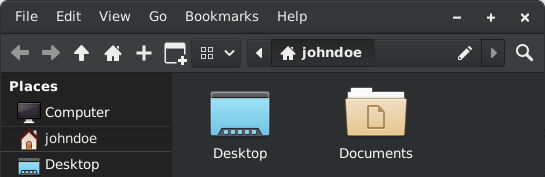
I kinda dislike Dolphin, but I also know it’s very customizable and haven’t dig into the options, so it’s possible there’s a version of it I like that I haven’t found yet. If that makes sense.
For me is the tree view (like explorer), it doesn’t feel comfortable and I can’t put my finger on why. On Windows explorer it felt quicker (like on a practical level, not about performance).
But guess I gotta use it so… Dealing with it
Yeah, I miss Windows Explorer. Which I find really shocking. But I think it’s just missing the accumulated years of muscle memory.
Same. I try it every now and then and am constantly blown away with how it just seems to know my system and auto mounts things, and knows how to thumbnail images and videos without being nudged…
…but I just can’t get over the clean glossy UI. It makes my whole system feel like a web app.
And thus I always go back to Thunar or Dired because apparently cavemen just like to bang rocks rogether and that’s okay
I know this is the wrong place to say this, but I really like the Windows Explorer. Dolphin is a good replacement, but it would be one of the few things I’d like to keep on Linux.
ever tried PCManFM? I use that and it feels like the old Windows Explorer.
GET THE TORCHES AND PITCHFORKS!!!
deleted by creator
like? I fing love Vim. It’s like a peanut butter and jelly sandwich made of sunk cost fallacy and Stockholm syndrome.
I’ve spent years using it, so I know every (reasonable) key combination and don’t need my house to wiz around even very large documents. It’s on every pc/server I use by default, it’s on my phone. I can run it on a server from a console window with no window manager.
I get there’s a lot not to like, but it’s like 10% of my DevOPS superpower.
deleted by creator
It is admittedly not the best IDE for your computer.
I like vim and emacs, but I also agree so I’m not sure how to feel
I wouldn’t say like, I just don’t know how to quit it.
And here I’ve just been shutting the power off for years!
(That’s on me, I should have put a /s by my pun above)
But… Why? It’s just a mediocre and laggy copy of Dolphin.
Okay, I’m generally on the side if dolphin UI-wise, but when it comes to the topic of lagginess, it has to be said that dolphin, and in fact, almost everything using the kio infrastructure, is the one shitting the bed here. You’d think a bit of multithreading will keep the UI from freezing up whenever the underlying I/O has some minor hiccup (which can absolutely happen in practice with network filesystems or USB sticks in combination with large file transfers), but apparently dolphin can’t do that.
Yeah, slow network mounts, especially rclone mounts, are typical examples of this.
Dolphin doesn’t lag for me
It lags for me whenever I access some filesystem that takes a while to respond. That could be a faulty or old device, or it could be an NFS share with multiple large file transfers going on in the background.
It when I say it lags, I don’t mean it just takes a while to show me a directory’s content, I mean the entire UI freezes and kwin will grey out the window because tha application isn’t responding any more.
This does not happen a lot, and if your file browsing is largely limited to a fast local storage, like a SATA SSD or even an NVMe, you may well never see this problem at all. But it does happen.
Admittedly I use an NVMe drive but I’ve never had this happen once in the years I’ve been using KDE. Dolphin is so much snappier than Windows Explorer on the same hardware that it’s almost funny.
The primary differences between Dolphin and Explorer are mainly in speed and the context menus for applications. (which is the reason explorer is more encumbered)
Since I use context menus on my windows admin workstation, I wouldn’t want dolphin there and I sure as hell don’t want explorer in my NixOS.
I just updated to Windows 11 and oh boy has it gotten worse when compared to 10…
The UI, useless spacing in between items, 2nd context menu, gigantic bars on top, the somehow missing create folder button, OneDrive Integration, “Pin to quick access” everywhere, freezing up when creating thumbnails, constantly somehow resetting the layout of the user home and I’m just getting started… But hey it got tabs now
windows 11
oh… now I understand everything
There’s also this on Windows
https://github.com/files-community/Files
Although it seemed to freeze up from time to time back when I was on windows
Explorer on windows 11 has gotten better in a lot of ways and only worse in a few.
has gotten better in a lot of ways
Feel free to name them…
Tabs? That’s pretty major.
Also that right click menu is lighters faster than the old school menu. Every application and their mother wants to add shit to the right click menu and it would lag out to the point it would take 10 seconds to open. The new one doesn’t have that issue anymore.
Also that right click menu is lighters faster than the old school menu. Every application and their mother wants to add shit to the right click menu and it would lag out to the point it would take 10 seconds to open.
if you don’t install all the garbage of the internet, that’s not a problem. it can also be cleaned up, even without regedit.
It still has the old annoying bug where the entire explorer.exe crashes if your mouse cursor gets anywhere near a network drive that can’t be reached. Accidentally hover over its icon in the left sidebar, and explorer just freezes up unrecoverably. I guess the technology to safely handle hovering over the icon of a disconnected drive is just not there yet.
I have honestly no idea how microsoft still hasn’t fixed that issue. Granted I’ve never had it crash from waiting for a directory to respond, it just waits the full 1 minute for the packet to die before coming back.
Also can’t say I’ve had it happen for stuff pinned to the side bar, only when typing it in, or clicking on a mapped directory on the “this pc”
Uh… The new one literally takes a couple of seconds to remember that OneDrive and Notepad++ exist when I use it on my work PC, all while entries towards the bottom keep shifting around.
It’s completely unusable.
Fast on my machine even with NP++. It did slow it down a smidge though when 4 things got added.
Maybe it’s just OneDrive being a piece of shit? I don’t have it in my right click menu for some raisin.
Might be, tbh. I never noticed it on my Surface, which has OneDrive disabled, but I used that one was less. Or maybe it’s some other garbage on the corporate laptop causing issues (like Trellix).
Now you made me want to investigate.
Split view, tabs, drag and drop to the addressbar. The ui looks cleaner compared to win 10.
Negative is that one drive got even more embedded and they fucked up the right click menu.
Microsoft messed up File Explorer tabs. If you make a new tab, start a search, the close the tab before the search finishes, you break the URL/path bar text. You cannot see what directory you are in unless you click the path bar. The only way to fix it is you restart the application.
I was a win10 user because I was forced to update from 7. So I got really annoyed when I saw the new context menu for dumdums. It’s useless.
If I ever need to install windows 11, either on a virtual machine or for a family member, I run a script that returns the old context menu (and several others that remove a bunch of bloat and de-activate internet search on the searchbar)
I use Windows 10 with OpenShell so I can turn it into Windows 7. I definitely will never use windows 11 hahaha
Microsoft has been doing the most to break those. I was using PatchExplorer which has a lot of these features. Microsoft broke the ability to completely remove that awful, wasted space for “Recommended” in the Start Menu. It’s absolutely useless and an eyesore.
But it at least still worked to revert the context menu to what it should be. I hate always having to figure out what icon is for copy/paste/delete than just having the damn word and also having to go to the old context for 7zip/other third party apps.
Its because the recommended is literally ads. Microsoft is putting ads on the start menu. If that cant get someone to switch to Linux, nothing can
Yep, that’s exactly what I realized too and why they’re hellbent on it being there.
I am no longer using Windows at home except a server I’m working on moving to Linux and it’s partly because of this. I’ve given up on Windows.
Ohh not totally for dumdums. The design of the old context menu is one of Explorer’s greatest weaknesses.
When you right click that menu, every context application DLL listed in the registry needs to load. So if you have an end user with a bunch of context apps. mp3tag, smartrename,scan for viruses or even worse some dll that needs a network resource to init. that context menu can take 5-10 seconds to load on an old encumbered system.
9/10 they just want to right click and open with or rename, so there’s a cheap menu with no dll loading and an option to load them anyway.
I feel you, I set my win11 desktop to show the old style too, but the idea behind it isn’t bad.
Wouldn’t the better idea have been to load specific DLLs on activation of a function then? Dicking over users that know how to use their OS for the sake of digital slobs seems unfair.
There’s a million different design problems in all of Windows. There’s probably a million better ways to fix the problem.
I’m just saying that what they did isn’t without merit. And they did leave you the option to turn it off.
Yikes
If it wasn’t for the bugs I’d whole heartedly love windows 11s explorer over 10s.
But if explorer stops responding me my interactions one more time I’m going to commit a crime.
Seconded.
There’s a lot of reasons to hate Microsoft. There’s a lot of reasons to hate Windows 11.
Their explorer is’t one of them. The new context menus when you right click anywhere is, sure. But explorer and notepad got righteous upgrades.
On the context menu: I’ve been using Nilesoft Shell for a few years now and it’s been wonderful. It’s got all the options from Windows 10 plus a few more in the Windows 11 style.
Edit: wrong link, fixed
Can recommend, Dolphin makes life on windows slightly more tolerable. Kate for Windows is also amazing
I use Kate on my Mac now. I’ll never go back to regular ol’ TextEdit.
I don’t know how much of this is going on now, but in the early days, one could run a variety of linux apps in windows with the correct runtimes installed. this may be how WINE came about?
Was it cygwin, or something? I vaguely recall running an X server on Windows so I could display remote Linux gui apps locally.
You’re thinking of remote X server, but there was also something called Cygwin that allowed you to run certain Linux apps within a virtualized environment. It was basically just an X window that opened up in windows inside of which you could run Linux apps.
wasis: https://cygwin.com/
Just FYI, WINE is for running MS Windows software on Linux, not Linux software on MS Windows^1. As others have mentioned, I think cygwin was sort of the reverse-WINE. Also, I think KDE made a push to get their apps running on MS Windows because QT was cross-platform.
I was using WINE to play StarCraft back in like 2000. I think it predates running most Linux software on MS Windows, except for a few big, multi-platform packages like Firefox (back when it was still Netscape, then Mozilla Suite (don’t remember what it was called), then Phoenix, then Firebird (right? the same name as a database, so they had to change it, iirc). Those were usually developed for each platform specifically, not just for Linux and then run with an emulator.
^1: not trying to be snarky or anything. just put it in in case you didn’t know or maybe had a brain fart. Or maybe I’m wrong about the origins of WINE.
Definitely a brain fart. Thanks for looking out.
Really? That’s awesome! Hold on, I need to go install it on my one PC that still runs windows.
There is also Krusader that might be worth looking into.
I was like wait this is so cool then I realized I’m on Linux already
Great! Dolphin is also better than macOS Finder. I would replace it with Dolphin as well.
However, Windows Explorer in Windows 11 still excels in one area: it doesn’t have a header, and the tabs are displayed on the header, like in Chromium.
It’s also annoying that all KDE Dolphin tabs have that red [X] button. Sadly, the KDE developers reject great PRs like this one: https://invent.kde.org/system/dolphin/-/merge_requests/269
My God, what a read… I love KDE, but holy shit, these guys really need to pull the sticks out of their arses…
the most recent version of Finder is… a bit weird. I like all of the tools and functions it has, but it’s a huge departure from the previous version of Finder, and I’m not a super-fan of some of the feature implementations. but, if you’re used to using Finder for a lot of work, you won’t feel too out-of-place.
I haven’t used Dolphin in over a decade, so perhaps I’ll check it out.
However, Windows Explorer in Windows 11 still excels in one area: it doesn’t have a header, and the tabs are displayed on the header, like in Chromium.
You can make literally any window of any program have no header with KDE. I’m pretty sure you can make Dolphin look exactly how you are describing.
What are you asking?
Still excels? I don’t recall windows explorer ever being good at anything!
You are saying you like the tabs in the header, so at the top. But Dolphin lets you split, which would make that not make as much sense.
I actually like the Windows file explorer. Used to be my favorite, before Dolphin. Nowadays I’d say Dolphin is slightly better overall, but could still use a change inspired by Windows or two. For instance, I really like the drive view on the Windows file explorer’s home page.
In the newest versions, idk about older ones, dolphin lists all attached drives with a progress bar to show how full they are on the left panel, not too different from what youre suggesting, just built into the sidebar instead of a “my computer” type page.
It’s nice, but I just really like the Windows’ design of this feature. Not really anything functionality-related. Honestly, I wish I could just have the file manager from Windows Vista or 7. I don’t even need tabs.
I’m going to try to get Dolphin through security review at my company. QUICK everyone start listing reasons why my company should take on the risk of installing Dolphin.
the only reason to avoid dolpin is if your shell is fish
My shell is DOS. :(
You don’t try company wide.
Prepare a feasibility study on the merits on giving choice to power users without sacrificing security or increasing complexity. A multi departmental working group should be established to review the merits of the new platform, while a control group should also be established to monitor how existing solutions perform.
Once completed a multi stage rollout plan should be compiled by a different multi departmental group to make sure all workflows are covered in the new system.This guy corporates
I have been down that path before with Obsidian and LaTeX (Obsidian was a success and LaTeX was meh). The first step is getting the executables white listed and Its always a PITA with our security team. I need to first convince them it is worth the study, which is always hard because they are not power users. Feature lists help. Win11 explorer being dogshit also helps.
One million years later: “The study has been inconclusive.”
The thing that really annoys me with Linux file explorers is that none of them have a “sort by extension”. They have sort by type, but it’ll mix .jpg, .png, .gif and .webp together, for instance.
I just checked and Dolphin very much has that feature, the wording in English might not be exactly the same as I have the UI in my native language but I found it in the hamburger menu under Sort by>Other>File extension.
obligatory linux user: whats an extension? Surely you mean File Type.
Lol goddamn, I haven’t even been using Linux that long, and I read the comment and was like “extension? Like a Firefox extension? Huh?”
Well, apparently that is a thing in Dolphin, but if what you actually want is e.g. to just move all .png files, then I prefer to use the Filter bar (Ctrl+i or the fourth entry in the hamburger menu). You can just type “.png” into it and then it hides all entries which don’t contain that substring.
On windows?
Had that problem on linux, haven’t tried dolphin on windows, but I wouldn’t expect it to be different in that regard
I love Dolphin. Great for GameCube and Wii games.
is this a /j
could be, or not, we will never know for sure
either way, it is funny
ComOP is joking about this: https://en.m.wikipedia.org/wiki/Dolphin_(emulator)
I thought the same thing when I saw the comic.
I know about the GameCube/Wii emulator, but I wasn’t sure if they knew Dolphin File Manager exists.
Does it need administrator access to install? If I can weasel that onto my work desktop without having to contact our support that would be great.
It might work in WSLg otherwise?
Please don’t bypass work restrictions
If somebody can easily bypass work restrictions, they probably aren’t enforced or implemented properly.
That excuse won’t stop them from being fired. Just because you can does not mean you should.
Just because I shouldn’t doesn’t mean I shouldn’t.
IT admins (and those involved in a company’s security) should be fired for deploying under-configured or misconfigured Windows installations on computers.
Microsoft in general should be fired from computers - their security is absolute garbage.
IT admins (and those involved in a company’s security) should be fired for deploying under-configured or misconfigured Windows installations on computers.
I kinda want to see you argue this one. With pop-corn.
There is a high skill level needed to configure Windows properly in enterprise settings. Regardless, I wouldn’t be working for an organization that trusts any Microsoft software.
Keep your popcorn ready though, it’s only a matter of time before Microsoft loses the security battle and the economy has a fatal heart attack - unless Microsoft makes gigantic strides in a more sustainable direction.
Irrelevant. The defense of “they should do better” will do jack to prevent the firing of someone that willfully circumvented company policy.
Knowledge is knowing how to bypass work restrictions. Wisdom is knowing not to.
Fine I will just install Linux on my work laptop. Actually curious how long I could work like that before anyone noticed.
I used to work a food service job that had computerized touchscreen scales for weighing out products and printing out labels for them.
I learned that particular model was running an OS vaguely labeled as “Linux”, and it was on an ARM-based system. My biggest regret in that job was abstaining from trying to get Doom running on it.
Please bypass work restrictions.
In some companies the restrictions are just knobs that were turned for the fun of it.
We do cloud native and they blocked WSL suddenly.
You can’t use Docker/Podman without WSL. So everyone had to bypass the restriction in order to be productive.
While I don’t think people should bypass work restrictions either, I get the frustration. One job I was at had some setting forcing browsers to always close tabs on close and reopen the homepage on open which was the intranet landing page. It was a pain.
Never said I would, but if I can install it on my work desktop via the Microsoft Store without the need of administration privileges then what’s the harm?
KDE has a proven track record and I’ve already got KDE connect on my work desktop to send files from my phone to the desktop without any issues from up top, plus I’ve spoken with my IT & Managers and got the ok for a Linux distro, but they do make the point of “what if someone else uses your computer” which is fair and is why I’m hesitant for them to switch me to a Linux work station, was thinking dual booting but not sure due to Windows history of wiping EFi boot partitions.
why would anyone else use your computer? honest question. and do they need access to your local files, or just a machine?
My environment is very much mixed in with shop workers, fitters or welders sit and eat lunch at people’s desk on their breaks, my desk is a common one as I’ve gone in on overtime shifts with people using my desk phone.
and yes, we have two lunch rooms.
That sounds like a security nightmare…
The company is probably to cheap to actually do security correctly. (Until they are ransomwared or need to get cyber insurance)
Dolphin is the best file manager of all time. Both linux and windows.
spent almost a decade straight on Win10 LTSC then switched to regular Win11 - I think Microsoft forgot how to make software. Vanilla edition is so bloated it is scary. Considering embracing Ubuntu.
Check out Mint or PopOS! over Ubuntu.
Ubuntu is falling behind in the desktop experience, as well as their insistence of using their proprietary backend for snaps over flatpaks, and overriding tools that you expect to get the flatpaks and causing trouble shooting issues because you are expecting one behavior but getting another (not that hard to work around or translate once you know, but still a hassle.
Also, Mint and PopOS! are just great experiences and were top contenders for my personal desktop (dev, gaming, power user) switch from Win10 -> Linux. I wound up going with Arch/Garuda because it’s forcing me to learn far more about the Nix than I’ve learned in as a dev. I still might make the switch since Garuda can become unstable occasionally due to the way that the OS is “bleeding edge”, and forces me to troubleshoot the causes (I guess this is what I wanted to learn?) instead of doing personal dev, gamibging, or desktop entertainment.
Thank you! I will try out both on my personal computer.
I recommend Mint. It’s basically ubuntu with the controversial stuff disabled (Canonical’s snaps mostly, but I guess also any ads for their pro services) and with an extra layer of polish.
I’m happy with it for both the “I want something that works reliably” reasons and the “I’m an engineer who wants a free system that I can control and modify” reasons.
thanks. gotta check it out.