

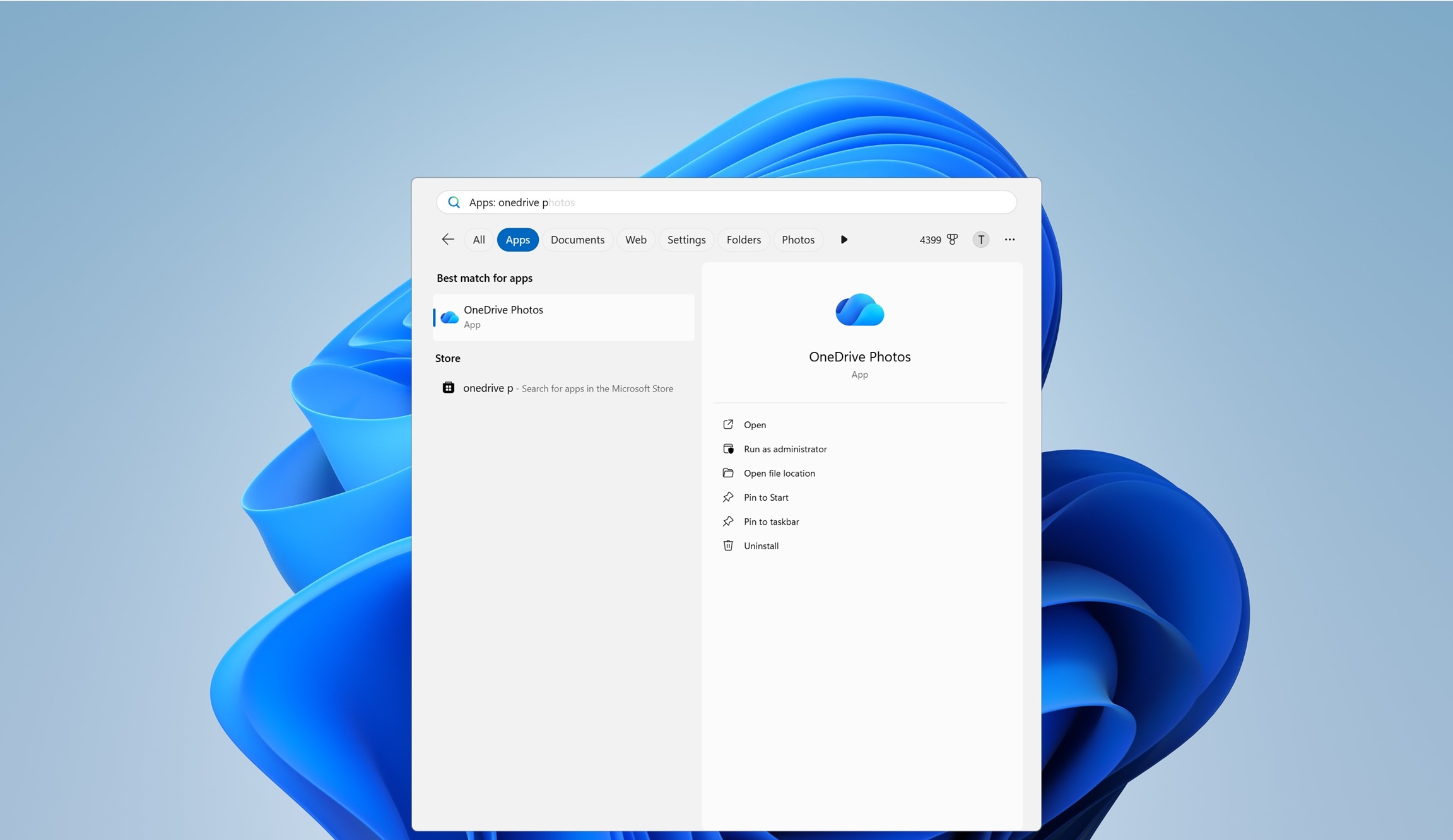
Makes me so glad I moved to Linux. Windows has just gotten worse and worse.
The decade of the Linux Desktop, sponsored by Windows11
If it continues like this, it very well might ne some day. One can dream and hope…
At least for now, One can drive 😃
Dropped Microsoft a long time ago. Loving every second of it.
Windows-free since 2014 in my case! Hated Windows 8’s user experience enough that I decided KDE was a better windows than windows and never looked back.
In 2026 Plasma 6 is genuinely in the conversation for the best graphical environment for the desktop platform in general, partly because it’s very good and partly because Apple and Microsoft have let standards slip a lot in my view.
“learns” isn’t the right word, they know you don’t want it, like it, or need it. They don’t care, a proper statement would be “microsoft never cares”
It did this on Windows 10 as well, I don’t know why this is all of a sudden some kind of surprise.
Back in the day, I had my photos in multiple locations, some on local external drives, some in small cloud storage pockets….a bit of mess, really. Since I had a great deal on O365 family plan I thought - why not gather all of my various photo collections, and consolidate them on a single cloud storage - what could possibly go wrong? This is how I discovered that OneDrive doesn’t know how to read EXIF metadata properly. I ended up with basically a pile of over 30k pictures and videos, completely out of any order. Never again.
So does Copilot and Microsoft Copilot 365. I enforce GPOs to ban/remove them, and every couple Windows updates, it reinstalls, and each next day I see my alerts pop up they’re back.
There is one single app I need for freelance work that I cannot replace with a non-windows app.
It lives in a virtual machine and is shut down for 99% of its existence.
The machine that runs the VM is the one I use for local LLM and fucking around with docker containers. It’s an insanely powerful machine that’s slightly RAM constrained. I can run what feels like an unlimited amount of containers on it, or that fucking Windows VM. I have to kill every running container on the machine just to run one single Windows app for 10 minutes once or twice a week.
If my freelance work paid more, I’d buy a dedicated windows machine just to do this one fucking task. (And then I’d have to air-gap it, and figure out how to remotely start it somehow, because I don’t trust Windows at all, and don’t want it running all the time.)
Or, I guess… buy access to a windows VM online? Hm. The convenience/time/effort trade off could be worth it at certain price points.Same boat. And my work laptop just got fucked by OneDrive again, very frustrating. I have no other qualms with windows, honestly, but stop moving my folders. My desktop is no longer my desktop, despite me reverting back and all that. And it’s far from a big deal, it’s just an annoyance at this point. But I’m stuck because of my incredibly niche software.
this is a legit question, but why can’t you run that program through wine? does it need a windows account validation step or something or does wine simply not work for that program?
I… guess I never thought of that.
I use MacOS (I know, I know), but I didn’t realize I could use WINE on Mac. I haven’t had a chance to investigate yet if I can make this work for me, but this was a good suggestion. I have this on my short list of stuff to figure out. Thank you!
I’ve faced this situation at work, we deployed a dedicated windows VM that all the devs shared for the one tedious task. Eventually got replaced with a saner system and we had no Windows dependencies at all.
Yesterday I found that my C drive was almost completely full and that was causing issues, digging into it I would that somehow a bug in One drives logging had generated almost 30 GB of logs, and the funny part is I have OneDrive disabled on my laptop. Tech has become such a toxic shithole field I wish I picked a different career
Stop using Windows
I want to but I don’t have enough external storage to back my data before wiping off windows and doing a clean Linux install, need to buy some hard drives first, hoping this AI scam hasn’t inflated the prices on those as well
Your data is living on borrowed time as it is if you don’t have it backed up already.
Two is one and one is none.
A few years ago:
Me: Why can’t I remove Edge?
IT Elitist: Because you have cheap peasant Home edition. They don’t pull this crap on Pro and Business editions.
How to turn off OneDrive with Group Policy.
Press Windows + R, type gpedit.msc, and press Enter. Navigate to User Configuration > Administrative Templates > Windows Components > OneDrive.
- Save documents to OneDrive by default: Disabled
- Prevent OneDrive from generating network traffic until the user signs in to OneDrive: Enabled
- Prevent the usage of OneDrive for file storage: Enabled
The last setting disables OneDrive on your system; make sure to change it to Disabled if you use OneDrive.
Restart your computer for the changes to take effect.
Every Windows debloater script comes with the caveat of “until the next update”. Instead of becoming a Windows Defucking Engineer I just left it entirely.
Except that these are group policy settings. The stuff they provide to allow businesses to manage their endpoints. Businesses that actually have enough size and money for Microsoft to care. Businesses that can have strict audit and data security requirements relating to things like not allowing data to even brush against something like OneDrive.
To be more direct, the only reason I can’t count the number of times they’ve broken a Group Policy is because I legitimately don’t recall it happening in the past decade.
Fair enough. I work in IT but endpoint config and group policy isn’t my area at work, so most of my experience is with my personal computers at home. I at least usually hear the latest bullshit Microsoft is pulling from our endpoint management/config guy.
I should also bear in mind that I stripped down and customized the hell out of the install media before I last installed Windows on any of my devices, and I’ve run a shit ton of other customization/privacy/debloat tools afterwards as well. Usually by examining the policy and registry edits or PowerShell code they run and just picking and choosing parts for myself. Lots of good tools out there, but none I trust to do exactly what I want with no oversight or investigation.
I’d still say that Group Policy is usually the best option for configuration shit sticking though, due to it being Microsoft’s “business side” solution for endpoint config for quite a while now.
Yes and no. They started to limit GPOs. Some are only valid on Enterprise Licenses or Windows Server and will be ignored by your usual Windows Pro License at home. With Windows Home, you’re SOL regarding GPOs.
Also they started to migrate some of these settings to their Intune Device Management and will ignore those if not set via Intune.
Read: Companies can still disenshittify Windows to some degree, but they make it harder and harder for normal people to do so.
Won’t work for Win11 Home. But it’s MASterly easy to conver your Home to Pro or even Enterprise. MASterly easy.
Nice pun but might as well link to it. It’s already MASsively popular.
https://github.com/massgravel/Microsoft-Activation-Scripts
For the people on mobile without needle-like fingers.
needle-like fingers
Right … you’re operating your touchscreen with your dick again, aren’t you?
We’re on World right now, they kinda frown on that kinda thing here, might be why they didn’t link it.
Their own f*cking fault. Anyone still using that garbage corp/software are just asking for it. Stop whining about your own decisions, start migrating to a non-psycho open OS. Please, spare other people from the guaranteed problems coming from your own stupid choices.
Once the leader of the pack. Now making it’s way to the back.
Make a script that checks for it and removes it? Linux has its pains but it doesn’t have these pains.
almost 20 years ago I wrote a service that did this because of a hijacker. After I cleaned the system I extended it to stop all the MS bullshit that just wouldn’t stop running.
That sounds a lot like typical Windows features over the years. Using WIndows at work today I unpinned Co-pilot and that stupid new Notes app from my taskbar three times. They kept coming back, not right away, but ninja like.
Are you sure it wasn’t your workplace group policy bringing them back?
Unlikely. Microsoft took away GPO control of taskbar and start menu a while back, and I don’t think they restored it. And even if they did, a company would be more likely unpin and block them than to push them.
I’d love to think that, but my company is currently holding weeklong seminars to make sure that every employee is using Copilot and ChatGPT as much as possible.
I’ll taken your word for it, but if taskbar and start menu were controllable, I’m pretty sure after the third “I’ve deleted the internet/copilot/notes” support call I would be enforcing that the default taskbar items stay there.
Some companies might be resisting copilot, but many are going all in on it.
Our O365 admin panel keeps telling me there is a problem because 0 of our employees can easily find copilot and I could fix it by forcing it to be pinned to the taskbar.
We’ve noticed you unpinned the apps. We’re sure you didn’t mean to, so we fixed it for you. You’re welcome.