
I think both have their use cases. Gnome is absolutely fantastic, if you use it on a laptop with a touch screen (for university, school, etc), but on desktop I dont really like it that much. I like the simple design, but KDEs customisability is much better. However, their virtual desktops are kinda ass, but I dont really use them on my desktop PC anyways.
I think KDE reworked virtual desktops with Plasma 6. I haven’t use KDE in years but I saw a comment about it a while back.
I just realized that this desktop environment debate has slowed down a lot these last few years. I reckon it’s about time we heat it back up. I’ll get the popcorn!
We’ll have to see if System 76’s Cosmic DE can stir up some tribalism again!
I know the hyprland Dev had some stuff to say that caused a mild shit storm. Nothing lasting though.
Are they still people giving a thing about that guys opinion? Hey is hating everything and evwrybody by no good reasons but pure gas lighting hatred
Sounds like something a goddamn GNOME user would say 😠
KDE Plasma user I am
deleted by creator
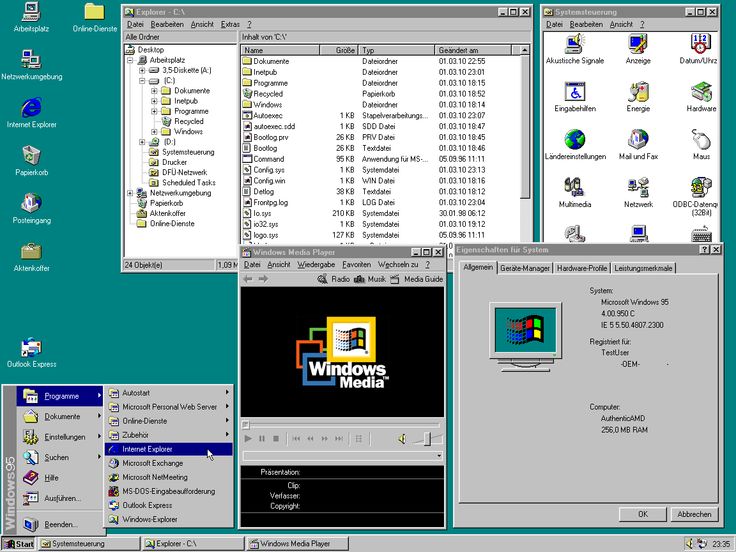
obligatory LXDE is actually also really good but you know what would make it 10000000000000000000000000000 times better? If there was a Windows 7-esque search bar on the start menu so you could search instead of painstakingly browse through all the stupid icons like its Windows 95.
I always post a comment like this in discussions about desktop environments in the off chance someone found a way to mod a search into LXDE’s start menu.
It’s wild what an impact organizational politics can have on a codebase
If you don’t know:
Not wild to me. Code is written by people, people who engage in organizational politics. No “base” created by people, digital or otherwise, will be free of such influences.
I have never understood how there was any competition.
KDE has always been a better DE than anything on any platform, while gnome has been one of the worst and it just keeps going downhill.
KDE gathered a lot of initial hate because the Qt widget library it relied on used to not be proper Free Software. (That was fixed about two decades ago, though.)
Unfortunately, GTK is much prettier than QT.
I disagree completely, GTK looks like they took windows 3.11 and covered all the widgets in dried shit.
This can sometimes come at the cost of intuitiveness however. As an example that just happened to me the other day, I was using Pinta which uses libadwaita and had opened an image to make some modifications to it.
All was going well until I wanted to save a new copy of it (and not override the original). The toolbar has all of these functions on it, open, save, undo/redo, etc… but not Save As.
Apparently there’s a tiny little overflow button on the far right side, click it and you get a whole bunch of functions - one of them being the holy “Save As” option I was looking for. I almost went down the route of making a copy of the image outside Pinta and then just overwriting the original.
Apparently the idea of making a copy of an image is blasphemy. Even Microsoft Word when they had first moved to the Ribbon UI made the save button have a little dropdown right under the save option to reveal Save As.
Don’t get me wrong, I love how some libadwaita apps look. Mission Center for example? Chef’s Kiss - but it’s a very simple application that all I need to do is open it to have a quick look at the very pretty looking graphs. Although the latest update seems to have gotten rid of being able to have the sidebar open persistently (now taking an extra click to change between performance graphs)… But I still need to double check to see if that’s intended vs being a bug before I judge that too harshly.
It doesn’t matter if it’s prettier, when I need to spend twice the time to do some basic stuff because I need to move my mouse cursor half way through the fucking screen, at least in GNOME apps.
How is that toleratable is beyond me.
Ummm but gtk is pretty bad in ux for me. It has some weird way of contents in title bar. And you can’t click close button by clicking at top right corner of screen for fullscreen apps because its floating or rounded
Gnome devs have a vision of what Gnome is supposed to be:
simplistic, designed for touchpad and keyboard, and staying out of your way. People install it, miss stuff they are used to from traditional desktops like Windows or Plasma, and bolt that on using extensions from third parties.
They install those extensions from a different source than Gnome itself (Gnome from their distro repos, extensions from the website).
And then they complain when those third party add-ons from a different source aren’t perfectly integrated or in sync after an update.
And blame the Gnome devs.i cant think of any valid reason gnome doesnt have official system tray icons
Gnome’s official stance on that matter:
https://blogs.gnome.org/aday/2017/08/31/status-icons-and-gnome/tl/dr:
They’re an old spec from 2002
They’re too small to click for people with increased accessibility needs
They serve the needs of app publishers (making their app visible at all times), not those of the user
-> There are too many of them
-> They look badthank you for this it is interesting to know their rationale. but i still disagree with it, i think it makes life using the computer more comfortable, it is a good way of managing apps that usually operate unattended and everyone is used to it and expects or relies on this functionality.
everyone is used to it
Counterpoint: The main criticism of Gnome seems to be that it doesn’t match the design philosophy of Windows 95, which users are used to.
But at this point, an entire human generation later, and 14 years after the release of Gnome 3, I don’t think that’s a valid criticism anymore.
Ok but how do programs under Gnome display state? (temperature and stuff like that)
They’re an old spec from 2002
They’re useful, “old” is no excuse. Mobile OS have something similiar. No, don’t create a new spec, you’re bad at that kind of thing.
They’re too small to click for people with increased accessibility needs
Make them bigger? I can do that on XFCE.
They serve the needs of app publishers (making their app visible at all times), not those of the user
There are too many of them
Again, they are useful to the user. Just give the user a way to control which to display or not.
They look bad
Your design team sucks
And that’s why i don’t like Gnome (and Gtk for that matter); they prioritize their skewed visions over everything else, including usability.
They’re useful, “old” is no excuse.
the above tl;dr forgot something massive: all current protocols are unsafe (e.g. need exporting the entirety of org.kde.* in dbus) and/or only work on X11
Insecure? It is run by the user, communicates only with things run by the user.
So things like sandboxing or even not running everything as root should exist.
Gnome devs have a clear vision of what Gnome is supposed to be: simplistic, designed for touchpad and keyboard, not mousy-clicky, and staying out of your way.
Nobody questioned this.
People install it, miss stuff they are used to from traditional desktops like Windows or Plasma, and bolt that back on using extensions from third parties.
Like the Extension feature intends it.
They install those extensions from a different source than Gnome itself (Gnome from their distro repos, extensions from the website).
Even those you can install from some distro repos can cause your whole Gnome DE to crash. However this isn’t even the main problem; the point is that it’s able to crash your DE at all. If they did it correctly only the bad extension would crash. If that doesn’t work for some reason, the whole extension layer/API may crashes without taking the DE with it. If something phenomenally bad happens your DE should crash but, as the absolute minimum, your open applications should still keep working so you can save things and restart things gracefully. What you just did is blame the extension devs again.
And then they complain when those third party add-ons from a different source aren’t perfectly integrated or in sync after an update.
It’s about your computer (well, everything graphically) crashing, not some small problems. Get your facts straight.
Conclusion: the clear vision that Gnome devs have is obviously wrong.
deleted by creator
I think their vision is solid. I just think there are gaps in following their vision. Wheres the “create new empty file”? Where’s the “open folder in terminal”? Why do I need to install bunch of bloatware to change more than 2 options?
On my Gnome Files, there is option to “Open in terminal” and create new files (from templates, which were set up by default on my distro). All by default without any extensions or anything.
Gnome is about deliberate lack of features. Blank windows with the few existing UI elements crammed into the top bar and a hamburger menu with nothing in it because Gnome and its associated software are not intended to be used for anything.
It’s a non-profit, open source project.
If you don’t like it, just ignore it.
It’s not a commercial project where market share is important.The only defense of Gnome: It’s not mandatory.
Except they also do GTK, which still manages to leak outside their 9 foot thick steel and concrete containment vessel.
I don’t blame GNOME devs, I blame the straight up lies from GNOME enthusiasts that GNOME is customizable, because it is not.
afaik KDE still doesn’t have any tolerable way to tile windows on wayland
if i need to open a menu to set up zones you are doing it wrong. if i have to pick from premade layouts you are doing it wrong. pop shell on gnome would be perfect if it wasn’t married to gnome and slowly rotting over time: i can pick up a window, drag it to where i want to put it in the binary tiling tree, and it goes there.
Rip bismuth. It worked almost perfectly in plasma5 and with rewrites in plasma6 it broke and the dev didn’t want to rewrite it.
It works perfectly again and is available in the kwin-scripts store under its old name krohnkite. IIRC it hadn’t a btree layout before. Now it does.
i’ve tried bismuth and krohnkite, they’re still the “grab bag of canned layouts” type of tiling extension, pop shell lets me build a binary tree with arbitrary splits and tabs like I could do in sway or hyprland and as far as I know the clunky built-in snap zone menu is the closest thing that’s available for plasma
unpopular opinion probably, but I like the configurable zones approach. it’s probably because I’m used to fancyzones on my work pc and have gotten used to it.
every time I try to become a cool kid and use i3 or some other tiling wm variant, I get frustrated and go right back to plasma
My main issue with the zones is for some inexplicable reason one cannot save their template. You’re stuck with the default ones, and – at least in my case on Fedora – the custom one you set up tends to reset on reboot (not always, which is also ?? unless somehow it gets affected by OS updates?).
No love for GNOME these days smh
GNOME has been going downhill since version 3. I used to be a diehard GNOME fan, but nowadays KDE is simply better in so many ways.
Agree. I used to love GNOME, but after GNOME 3.0 everything went to the shitter.
I simply migrated to KDE and I just like it.
I mean can you really blame people? The developers have kind of gone out of their way to try and piss off literally everyone. And any attempt at criticism is called bullying and shut down
I have one PC on gnome and another on kde. I like them both for what they are. I lean towards gnome though. Looks nice, feels nice. I don’t find myself needing more functionality than what is there. I tried mimicing gnome in kde, for fun. Didn’t quite get there. I appreciate simplicity where possible.
deleted by creator
It’s called a blackbox and it’s considered a good API design.
Is this ironic?
deleted by creator
Plasma’s growing on my and I think it definitely works better on a laptop but I just wish it looked like a modern operating system. It feels like something from the 00s at best.
It looks very similar to Windows 10. You think Windows 10 looks like something from 00’s?
How does it look like Windows 10? It looks like Windows 2000.
Then I don’t know what are you smoking. From the taskbar, window decorations to system settings - it’s very similar to how Windows 10 is designed, although with much less padding (by default, but it’s a good thing).
There are also some settings for the taskbar to behave more like a Windows 11 one, if that’s what you want.
Also as for icons they look much more modern than what’s on Windows, at least for me.
The reverse actually, Windows 10+ looks like Plasma. They were “inspired” by it (copied it).
OP, if you don’t like the looks, Plasma has extensive theming support.
I know about the themes but most of them look dated as well. I know I’m complaining about free software but it should look better out of the box. I know some people love customising but it shouldn’t be a requirement.
Use whatever floats your boat
I use Gnome because it works for me
I use Cinnamon but Gnome would be my second choice. I want to like Plasma, but every time I’ve used it there’s some glaring bug. Last I checked (few months back) font scaling caused fonts to look like absolute garbage. I found the bug online, tried all the “fixes”, no bueno.
I’m not going without scaling on a 14" 1080p screen.
Cinnamon and Gnome on the other hand: accessibility > large text. Easy. (Higher scaling factors can be found in font settings if needed).
Same. I really wanted to like Plasma, it’s really nice looking. But it just never works right for me. Most recently, my PC would crash every time I woke it from sleep. And my cursor wouldn’t stay locked to one screen in-game. No issues at all with Cinnamon. Everything just worked out of the box. And there are plenty of themes and icons to dress it up a bit. I used Gnome 2 back in high school, so if I didn’t use Cinnamon I think I’d probably go with MATE since it’s a familiar feel.
I think it only works if you’re either an absolute KDE config file genius hacker or your distro’s repository has actually good default configs and setup. Installing KDE on arch always works well for me but every time I’ve tried it on Ubuntu I just get an unusable mess. One time I had it such that I had to retype my password all the fucking time to “unlock the keychain” and then the stupid update window would ALWAYS show up during the worst possible time with impeccable timing.
I dont understand why so many people are saying KDE is so much better than GNOME.
GNOME is by far my favorite DE
When leaving windows, i didnt want my computer to be almost the same, with a couple extra settings and different icons. GNOME does something different, and something i likeGNOME 2 was different and easy to customize
GNOME is still in their KDE 4.x days where it needs time to mature.
KDE 3 was loved, KDE 4 made a ton of breaking changes, and was reviled. KDE 5/6 are now butter smooth and fixed all the issues from the 3 -> 4 transition
GNOME 4/5 will probably come back into the loved category if they start stabilizing the extension system some more
There is no GNOME 5. They are up to GNOME 48 now.
Yeah, their branding makes it harder to recover.
I don’t know how they’ll change their versioning in the future, so I just went with that.
If they don’t make an obvious split to when the extension system is stable, they may never get that new beloved version like KDE managed
WindowMaker had that going for me. Sadly it was abandoned long ago.
Nice!
From a UI/UX point of view Gnome is excellent (very subjective of course, it’s a matter of taste - obviously this sparks endless discussions). There are very good arguments to be made about the organisations behind it and the tech that powers those DEs.
I like GNOME but I think there’s essential functionality missing from it. Fortunately the extensions fill the gap.
deleted by creator
I have like five libraries, I went ahead and just tried to add another one to see if it was a regression and unfortunately I can’t reproduce. Then again I’ve always been a KDE Arch user I don’t know if that has anything to do with it maybe I just missed this bug
I have the issue with debian also witj KDE, but I havent tried with Gnome, i did some searching and it seems to be a common issue among debian based distros
add a secondary storage device to my steam library.
You mean have more than one steam library? That’s a steam setting. Nothing to do with KDE. Gnome, Debian or Fedora.
The flatpak works,
Oh. There’s your issue. Don’t run steam as a flatpak, there might be sandboxing issues.
EDIT: MF did you read the page you downloaded stuff from:
Note: To add a game library on another drive, first you need to grant the app access to it:
flatpak override --user --filesystem=/path/to/your/Steam/Library com.valvesoftware.Steamdeleted by creator
Well, I’m using KDE and I set up a library eight months ago and… yes there’s a bug. Just checked. Not entirely the same but related to this:
https://github.com/ValveSoftware/steam-for-linux/issues/9797
There’s an official workaround mentioned there.
I guess KDE updated their portal protocol version some time in between and steam got doubly confused. Probably not a KDE bug, in particular because this kind of stuff is happening for many, many portal implementations.
And it’s not a dolphin window (with me) btw it’s a qt filepicker. Says “portal” at the end in the title, kde logo to the left.
KDE has almost perfect fractional scaling, that was the real chadfeature for me.
Gnome is better than KDE. With that being said, the dolphin file manager sucks ASS. The Nemo file manager is superior, except depending on which way the wind was blowing while you installed your distro, you have a 50/50 chance of being able to drag and drop the contents of zip folders into Nemo when running KDE. Dolphin always works when you do this on KDE but that’s Dolphin’s only positive aspect. The ui and button placement is worse, there’s no file copy progress bar window and the file transfer notification it does have is awful.
Cinnamon works with Nemo and zip file drag-dropping works all the time, but then you’re using a 10% shittier DE just to be able to drag and drop. Cinnamon doesn’t fully support wayland yet and its beta wayland support is terrible and slow so it’s a pretty bad one to be using right now.
I wish there was a fix. I would suck dick for fix to the “you can’t drag and drop the contents of zip files into Nemo on KDE except for if you got randomly lucky when installing the distro in the beginning” bug.