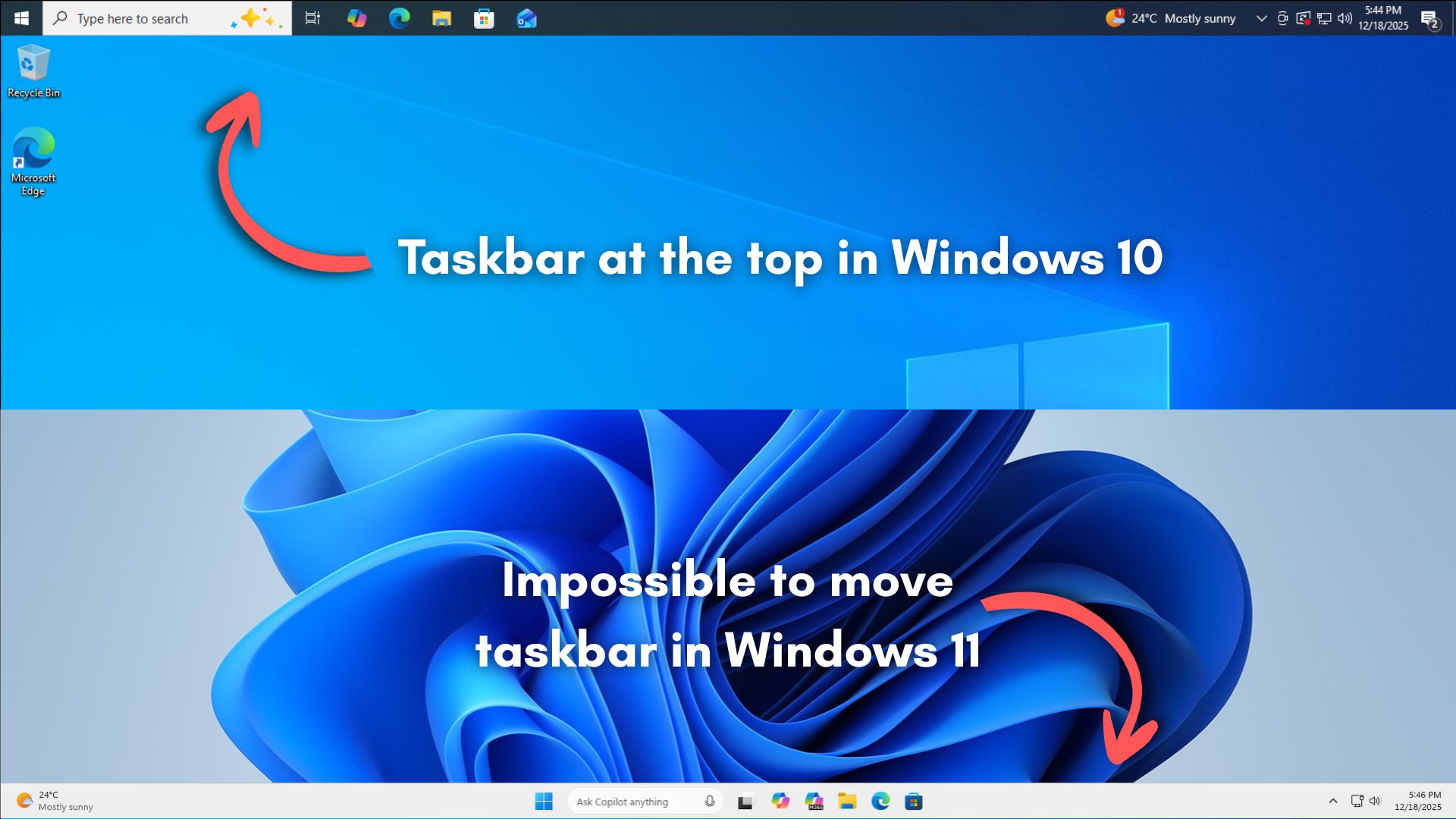
Apps then need to constantly reflow their layouts, resize content, adjust snapping behavior, and handle edge cases across different screen sizes, DPI settings, and multi-monitor setups. Also, this reflow logic has to work perfectly for legacy Win32 apps, modern UWP apps, and everything in between.
You mean the apps that were already handling this for decades when windows wasn’t a vibe-coded and ad-infested vehicle for AI slop?
Yeah this doesn’t make sense. Docked bars have worked fine since Windows 95. You could have the task bar on any side, and apps would handle it fine. You could have multiple docked bars too, as some third-party apps used to be dockable. For example, Winamp has a view that was a short bar stretching the entire width of the screen, stuck to the top of the screen. The windowing system handled it fine.
Because fuck you, that’s why.
- Microsoft
Saved you a click.
Anyone who wants to try Linux but is scared of or reluctant about anything about the process at all: talk to me! There are multiple ways to try it with zero change to your system, like Oracle VirtualBox or a USB flash drive.
Seriously, only go there for the facepalms.
Dont care, its where the task bar should go, and I should be able to configure it.
Jokes on them I decided to give macOS a shake when it was time for a new laptop.
People are fleeing into Linux & MacOS in droves. If this trend holds, Ms will lose majority in ~8 years.
I sourced a new desktop to move my plex server to once I get some new drives to put them in the proper format. I’ll be giving it to Microsoft from both ends ;)
How can we make that 2?
Microsoft’s already on it.
Not gonna happen in some industry where you get zero application support for Linux or MacOS.
All in good time. Many industries are already moving to web, which is OS agnostic. And it’s easier than ever to recompile a native program for different OSes.
I thought LLM would code this in a matter of minutes without wasting money away on human work hours? What is going on Microsoft?
-50 social points, it will impact your 365 licenses on a monthly bases
that the company isn’t interested in pouring its engineering resources into pursuing something that won’t benefit a majority of users.
So why have accessibility settings then?
Pouring resources into it… Doesn’t almost every other os/distro have this option?
Microsoft applied a data-driven approach to find out which features to add now, which features to add later, and which to completely avoid.
WHAT DATA?!
They asked chatgpt
But, only after not getting an answer from Copilot.
Same thing.
The data they have compiled from years of people using Win 10 and Msoft Edge.
If they were using that data, then they would have included features people actually use in 10. Or maybe they’re just doing the inverse of whatever the data suggests.
Or maybe you’re overestimating the amount of people who actually used that. Spending effort on something that less than maybe 1% of users actually use and that is not load bearing to any important workflows is hard to argue for when you’re a corp that is only concerned about its own bottom line. It’s a pretty rational business decision, even if you (and I) disagree with it.
It’s the data of what corners MS can cut to save more money than they lose when x number of users decide enough is enough.
Data can say whatever the hell you want if you lack scruples.
It’s Microsoft, they have all the data. And quite frankly it doesn’t surprise even a little bit, i doubt even 5% of people moved around the taskbar, people are just ready to hitch themselves to every bandwagon they see shitting on Microsoft.
In that case, based on the roughly 1.5 billion Windows users, that’ll only affect a mere 75 million users for a feature that’s been there since Windows 95.
The equation they are thinking of, though, is “will the cost of those who actually quit using Windows outweigh the cost of building and maintaining this feature.” Funnily enough the inability to move the taskbar is what finally pushed me to Linux full-time, but the overwhelming majority will complain and stick to Windows.
Microsoft applied a data-driven approach to find out which features to add now, which features to add later, and which to completely avoid.
Which is why if you dig deep enough into Settings you’ll see WinXP Control Panel UI elements. You know, the elements that are actually useful for power users.
There’s a format dialog from NT still present in win 11
edit: it’s from 1994 according to the person who wrote it
The main one I use is the network adaptor settings, where you can enable/disable protocols and most importantly for me, where you can easily add multiple IP addresses on a network adaptor.
The Win 8+ network settings page is an absolute trainwreck. I particularly like how it doesn’t warn about conflicting IP addresses now and just silently accepts your given address and provides an auto-assigned 169.254 address instead if it sees even the smallest hint that another computer out there using the address you want to use.
Guaranteed fun and confusion trying to access/ping things until you finally check the status of the network adaptor and discover the auto assigned address, thanks Microsoft.
Not everyone wants to use dhcp, which is clearly their preferred direction, and there have been bugs where Cisco devices trigger that flip to auto assigned addresses even if things are fine.
Most of the old settings are at least easily reached if you can remember their names such as ncpa.cpl for the settings you mention but when you write “control printers” you get sent into the new Settings view now. Instead you gotta go to the control panel and change view from category to small or large icons to finally right click Devices and Printers and choose “open in a new window” to get there. If you left click it you get sent to the new Settings view.
It seems that every new release adds another layer of indirection (misdirection?) between you and the useful stuff you need to access. I use a third party utility to manage IP settings, and it’s one click from its menu to get to the network adapter page. It takes me about 5 minutes of angry clicking around in stock standard win11 before I get to the same place.
Two data points: What their intern could do with React; what their intern couldn’t do with React.
Is this what hearing Vogon Poetry is like?
I was briefly a star at work when all of the terminals updated to Win 11. I was the only dude that knew how to move the start button back to the lower left corner.
So many people at work are having frustrating issues with Windows now.
It takes so fucking long to start up. Sure, you get a desktop and can open a program, but it just keeps locking up repeatedly for a good 20 minutes while whatever bloatware is running in the background during startup.
They cram OneDrive down your throat and it has constant issues.
They put so much shit in your way, in the name of “productivity” it makes your actual productivity worse.
FUCK COPILOT.
I thought it was just me, it’s so fucking “bulky” and slow on my work computer. Specs are fine on the laptop, windows 11 is just trash even without bringing up what it’s lacking and difficult to navigate.
And I know my way around windows very well, I can do nearly all my tasks with just a keyboard, don’t even need a mouse for the gui.
It’s the one drive cramming that really gets me, well also changing the right click context menu to hide cut and paste, wtf.
But seriously, not letting you move the Onedrive pin down the hotlinks sidebar out of the way? Extremely annoying.
Kill it in the registry.
Oh man, I remember marveling at BeOS in the day and for a brief moment in time when SSDs first hit the scene you could have a credibly fast Windows boot… Nowadays it’s worse than ever despite super fast storage, fastest CPUs, and gobs of RAM…
Why can’t they just ask copilot to program that for them?
Microsoft UI “designers” need to be beaten with frozen braids of 3 foot long licorice ropes.
Honestly, at this point Microsoft should do what Apple did, and build a completely new OS on top of the BSD kernel.
Or just Linux. Why even bother with BSD?
Because they would (for some reason) never open their source code.
They only need to open source the kernel. They can build whatever proprietary stuff they want on top of the Linux kernel.
Let’s be real, it’s because it makes it easier to train AIs on the Recall screenshots if it always has the taskbar in the same position as a reference context
This is such a weird take. Recall wasn’t even a glimmer in M$’s eye when this limitation was introduced. And it would take virtually nothing to add positions to the training, never mind the fact that they could just completely ignore the taskbar since the OS always knows where it is.
Further the containers contain the info, so the position on the users’ screen is rather irrelevant.
Four years ago, Recall wasn’t a thing. Microsoft was caught as off-guard by the AI hype machine as the rest of us. So I doubt this was originally the reason.
Might be now, though.
Why would applications have to consider relayouting? Isn’t that entirely in the hand of the Windows taskbar?
It shows the window groups, windows, pops over previews of windows or tabs in a consistent style, presumably owned by the taskbar itself. At no point do applications themselves control their positions or size in the taskbar or the taskbar popovers.
If the taskbar position changes then the screen dimensions available to applications change - windows may need to be moved and resized. The applications themselves handle that. Of course, they need to be able to do this anyway so it’s not really an issue.