- cross-posted to:
- memes@lemmy.ml
- cross-posted to:
- memes@lemmy.ml
You must log in or register to comment.
I just had one today
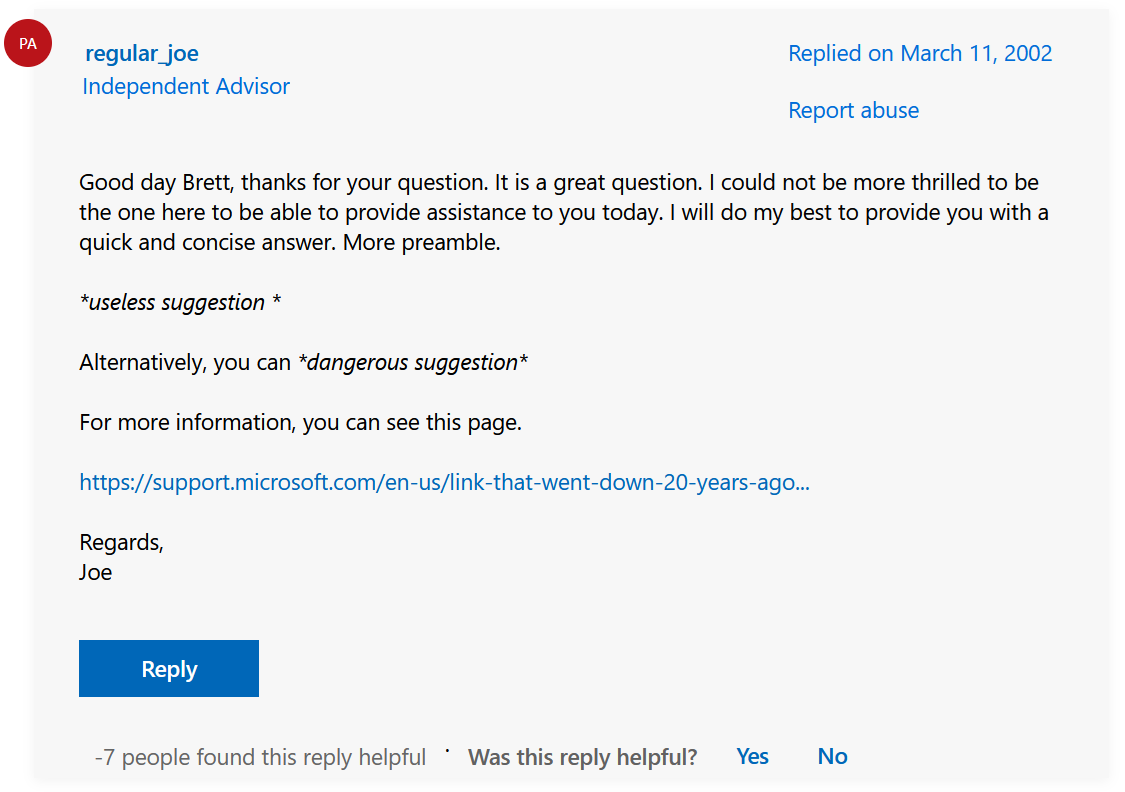
“Do [registry edit that won’t help]. Alternatively, try [setting that does not exist] Anyway this is not supported anymore as of [very old version] (actually still works)”
And in true windows fashion, the thing just needed to be disabled and enabled again. After it was broken by a windows update, of course.
“update your drivers and run windows update”
Yup, spot on.
Somewhere in the not so distant future…
Google Search: “Install printer driver windows 11”
Result from random blog:
“My first experience with printer drivers was 35 years ago. My grandma had an IBM PS2 that ran MS DOS and an HP Deskjet printer. It connected to the computer via a parallel port and printed a whopping 1 page per minute. Every year at Christmas, Grandma would print off her famous pecan pie recipe and we would all gather around the printer, eagerly listening to the sound of the print head slowly whooshing back and forth in anticipation of the tasty goodness to come. Blah blah blah. Five more pages of meaningless stories that have nothing to do with installing print drivers followed by a solution that only works for Epson printers.”deleted by creator
Uhhhh
Mine did both
Also, reprinting the recipe every year.
The final solution will be to renew your printer driver subscription at the low low cost of $15/month.
Applies to macOS as well. These official support forums are such garbage.
Windows: did you run sfc /scannow and chkdsk? (This has never solved a single thing in my entire building PCs life, so since about 1999.)
macOS: did you reset SMC and PRAM? (This is basically a fancy restart and with Apple Silicon devices, it is literally just a restart.)
It’s suggested more than it helps, especially on MS support pages, but for sure sfc fixes a particular set of problems. Out of about 16 times I’ve used it professionally it’s solved the issue about 12 or so times. (In 20 years, so damn you for making me feel old) And when it didn’t it’s usually because the file is also corrupt in dllcache.
Chkdsk is/was useful, imho, if you run it with the /r parameter. In my experience it became irrelevant for user systems with ssd’s.
Both are tools. Don’t blame the tool for being used for something they’re not meant for. You could technically use a power drill to hit nails in a wall, sometimes, but someone suggesting a power drill in place of a hammer doesn’t mean it’s a bad tool.
To be clear, it’s not that I’m saying sfc /scannow and chkdsk are altogether worthless, it’s just that they’re reflexively repeated as a solution to seemingly every issue posted on those forums. It’s more so the advice is frequently useless for the given issue, rather than the specific commands themselves.
Same as the useless windows troubleshoot program that pop off every time a program crashes “Looking for the problem that caused the crash. Oh i found nothing”.
I’m convinced it’s just those 2 pop ups and are placed just for giving the impression of doing something, but actually doing nothing.
I have very positive experience with that thing actually. It fixed many a wifi issue for me (interestingly, while also saying it couldn’t find the issue. It just fixed it. Probably ran something as part of its diagnostics that happened to also fix the problem)
For me, someone who uses a Mac for work but still has to use the office environment, it goes something like this:
Google the issue
Google the issue + office for Mac
Find a forum about the exact issue I’m having
Loads of people commenting having the same issue
Expert answers and says “That feature is not available for Macs at this time. How about you post it as a suggestion for the devs at this link here>>>”
Post is minimum 3 years old and there’s still no solution.
Gee thanks.
I can’t believe they are getting away with so many bullshit non-solutions to the point where you wonder if they even know how to read.
I wonder if they trained AI on this. Might explain some things
I kinda like the MS Support Forum. If it’s in my results, I don’t open it for the solution. I just want to see the braindead support answer and the countless complains about it for fun. It’s amazing how stupid these threads are and even more amazing that MS doesn’t care.
I love tech “help” that basically suggests you nuke everything you’re trying to save.
sfc /scannow will apparently fix any windows issue. All of them.
Nah, just run chkdsk with any flags you like, this should probably fix it.
And if that doesn’t work, run dism and then do it all again
That didn’t work?
Oh
Reinstall or buy a new computer. K NEXT.
✅ Accepted Solution
Searching for a Linux error: OP: Hi guys’, I have {situation }, how do I fix it?
Reply 1: Theres no way to troubleshoot this! Theres not enough information! Reply 2: I have the exact same issue on the same OS Reply 3: Have you tried {solution for a 6 year discontinued linux Distro}
Sometimes, You’ll find an arch forum post that is perfect though and that almost makes the rest of the process worth it
Here are some paraphrased ones I’ve actually encountered, back when I tried to make Linux work for me as a daily driver
“Any Linux user knows how to do that, or if they don’t, they’re too dumb to use Linux”
“RTFM!”
“Why are you trying to do it that way? You should try doing it this completely other, much more difficult way.”
“Why are you trying to use that application? You should use this one instead.”
“You should reinstall (their preferred distro) and it will work fine”
“You don’t seem to know what you’re doing”
“This book on Linux command line for beginners might help”
The “Why are you asking about X? Here’s Y” always infuriates me. I’ve been daily driving Fedora for almost 4 years now and the amount of people who say that shit drives me mad. There are instances where it makes sense but if its something like “Hi I’m using GNOME Boxes, how do I transfer files?” and the response is some shit likr “WHY ARENT YOU USING VIRT-MANAGER AND QEMU YOU FUCKING IDIOT”… Ugh…
To be fair, that shit isn’t restricted to Linux. I was just reading a camping forum where a guy posed the idea of extending a roof box over above the windscreen of his car to fit more stuff, and one of the suggestions was “You should just get more compact, lightweight gear, maybe a smaller tent. Get rid of some of the luxuries. Leave the toaster oven and microwave at home.”
I wanted to reach through the screen and slap that asshole.
Reply 1 is correct though; if you don’t post relevant logs, any solution given is just a guess. A helpful poster could make an educated guess, and you might get lucky and it’ll help but it also might not and then you’ll have to go to the logs anyways.
That’s the problem with ms answers forum, they rarely care about logs and so many hey simple give 1-3 generic solutions that will solve ~50% of peoples problems. If you’ve taken even a single step off the path of most users their forums will be more often than not be useless.
Its more reply 1 not telling you how to provide the information. If it wasn’t provided theres a good chance you dont know how to, and them being condescending about it doesnt help
Theres not enough information!
Well maybe tell me what info you need instead of complaining about it?
Have problem with computer
Search for solution
Find old forum post with the exact problem from 15 years ago
“Edit: Fixed it myself. Nevermind.”
Usually it goes like this:
”Hey I have this problem. I tried this solution, but it didn’t work. Any ideas?”
”The fix is easy: just do the thing you said you already done”
And then radio silence.
Hello madam,
My name is Bobson Dugnutt and I am a third-party contractor with Microsoft Support. I will be assiduous to help with you today.
I’m sorry, this feature is not planned at this time. You don’t need to be able to do that. Bitch ass.
If this review was helpful, please click “Helpful” and vote 5 and tell my supervisor by filling out this brief survey and send a feedback email to our support centerfollow me an LinkedIn and come to my birthday party and be my friend. Thank you please.
Upvoted for Bobson Dugnutt
I wrote about it on my other account a year ago: https://lemmy.world/comment/5005611
Hi, Micro$oft Community Advisor Alicia here!
I’m sorry to hear that your software occasionally crashes. Trying some of these steps may help you:
- Go to Windows Update and search for the latest drivers
- Run ‘sfc /scannow’ in command prompt
- Reinstall Windows
Please mark my post as “Answer” if this helped you solve your problem! Thank you!
It’s just easier to throw it out and steal another
This applies to almost everything tech related whenever there is an official support and non-standard issue. These people (or bots) just follow some script and as soon as there is a bit more complex or non-standard situation, they will have no clue what to do because they are not technical.
As far as Microsoft Support Community goes, if issue is popular there often is a decent answer deeper in thread, do not focus on ″best answer″.
As per this, it seems these Independent Advisors are outsourced by Microsoft from some company called Directly. Answer is from 2019 November so it might be outsourced to different company now. There might be also several. Same happens with at least M365 enterprise support. I have seen supporters from Accenture and other companies.
Here’s a handy Venn Diagram:
(Answers) (Answers DOT Microsoft DOT com)
deleted by creator