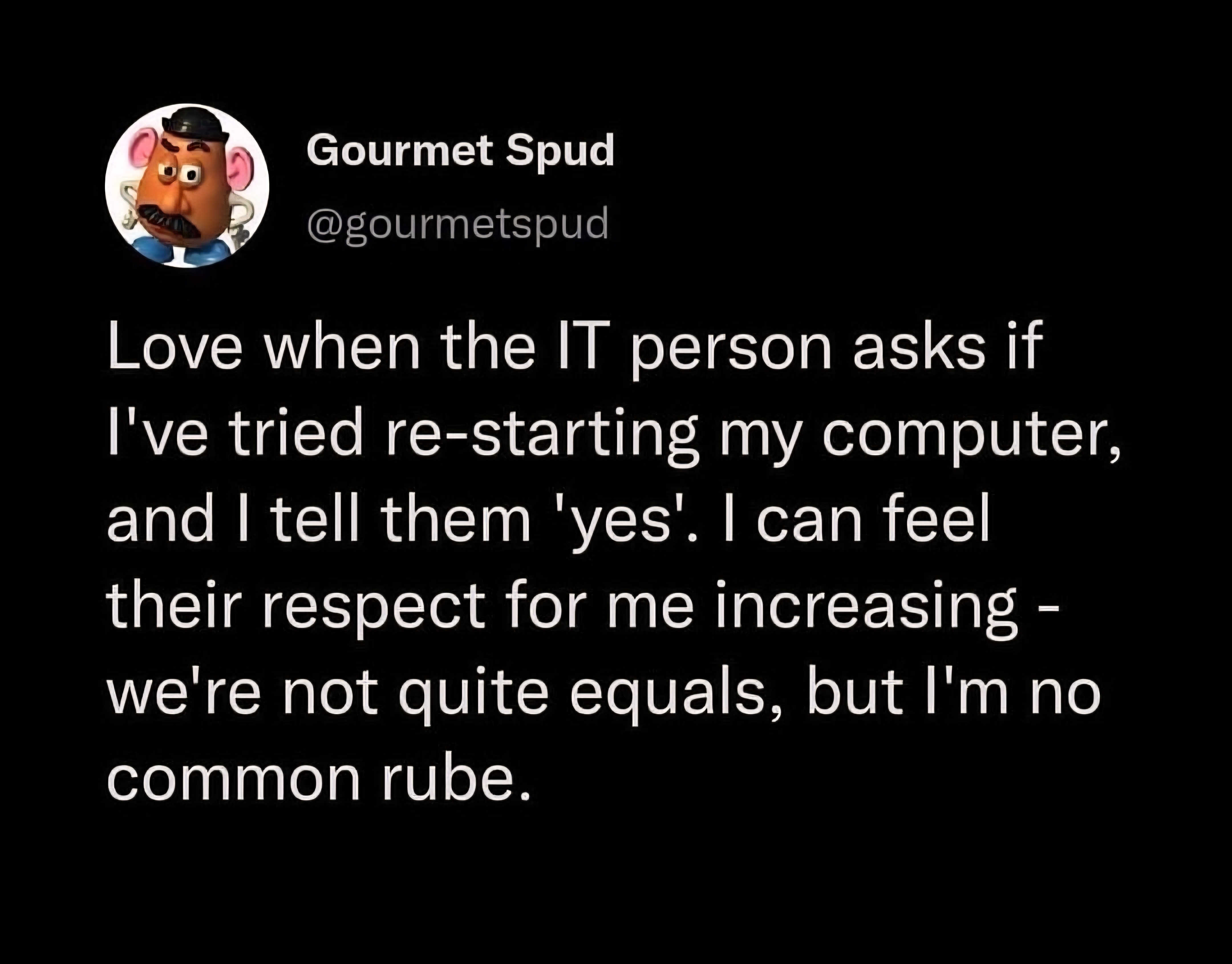
You must log in or register to comment.
Back in my service desk days, I used to just request to perform a restart on their behalf. If they said they already had, I’d make up some nonsense about how I had just manually edited a regkey for them remotely, and it not taking effect til another restart or something like that.
In my experience, the majority of the time someone claimed to have restarted; they either did so incorrectly, or for some reason believed it held no relevance and just wanted to get to ‘the actual solution’.
That little white lie allowed them to save face, and me save time and brain cells. It was a win-win.
How do you restart it wrong? And more importantly - what’s the correct way to do it?
It’s so annoying (and slightly embarrassing, and funny how often it happens), to restart it myself to no avail… then have it work after a second identical restart just because someone else is spectating.
A lot of people just close the laptop lid or turn off the monitor thinking that’s rebooting. Or they shutdown thinking it’s better than restarting, but Windows’ default shutdown is more of a close all programs and hibernate, so it often doesn’t fix things.
I’ve heard holding Shift when clicking Shutdown performs a real Shutdown, and anectodally it seems to work, but I can’t be sure.
That’s crazy. Maybe that’s why my work computer doesn’t have an option to hibernate… Thanks!
I think Windows actually disables hibernation on some computers now, but ‘Fast startup’ (the hibernate instead of shutdown feature) works independently from hibernation, so it’s definitely possible for it still to be enabled.
Yes, but then you have to wonder if the person understands what a reboot is and didn’t just quit the application or just log out of the PC and back in without a clear of RAM
checks task manager Uptime of 200 days. 🙃
i once asked a kid if he turned the laptop off and on again, he said yea. so i started to try to fix the issue, nothing worked. so i decided to reboot anyway and it worked. ive never trusted anyone who responded yes to this question again
“Have you tried turning it off and back on?”
“yes, obviously that was THE FIRST thing I tried”
system uptime 582 days 23:59:12
Thinking about ISP problems: why the fuck do I need to restart when the issue is clearly on your end? 99% of the time restarting doesn’t do shit to resolve bad provisioning, modem-specific problems, bad coax, etc. And I don’t want to restart until I’m prompted because I’d rather some of these shitty modems that don’t keep logs have something available for inspection.
Anyway, I use all my own hardware so this really only ever happens when I try to help family and I’ve done everything on my side of the modem already.
I just check the last boot time, though win10 fucked that up and made shutting down not actually restart the system… Nothing like getting schooled by an older customer because MicroSlop changed behavior.
I was just about to comment basically this. It doesn’t help that MS changed the default behavior so that a lot of people that think they were shutting down their computers were actually just putting them to sleep.
One time my Mom had that same thing happen. She genuinely thought she’d been shutting down the computer but that damn “Low Power mode” for “Faster wake up” had been keeping it from fully shutting down so it hadn’t actually been turned off in months. She was so fucking mad when I showed her what it had been doing.
Sadly, the number of times I’ve had to reboot windows two or three times to fix an issue lately has been increasing. I’m so glad I’m not in IT trying to support windows 11.
most issues we get are with windows 10 now that microsoft doenst care about the os anymore. bro we cant even print through windows 10 anymore 😭
That doesn’t seem like a problem with Windows 11, but with misconfiguration on the server or on your end.
Never had to restart multiple times unless some config asked for it. And every computer at my job is running Windows 11.
My SO recently bought a laptop designed for (and subsequently sold with) windows 11 and I can’t believe how utterly broken that system feels. It really feels like you’re running an alpha. The system interface completely lacks coherence.
(For context I’ve been running linux for several decades)
Microsoft fired every developer who knew what they were doing and is defecating windows updates produced by Copilot without anyone even testing if they work.
At this point it’s a miracle an updated Windows 11 even boots.
This is why I’m on Linux at home and I refuse to update my work Win11 machine past 23H2
Sadly, the number of times I’ve had to reboot windows two or three times to fix an issue lately has been increasing.
This sounds like your organization’s group policy is too large or your connection from your machine to a domain controller hosting your GPOs is too slow. There’s a timeout period. If all the GPO contents are not pulled down to the local machine, it stops downloading them, and lets the user continue to the Desktop. However, for lots of orgs GPOs are how they deliver settings or software, so you have to reboot again and on the next login, it will pick up downloading where it left off. It could still timeout again if there is more GPO data (or the connection is too slow). So you may have to reboot multiple times, and on one of those it will finally complete the downloads, and then suddenly everything works because all the right data or settings from the GPOs are on the local machine.
I use a Mac at work and don’t have this problem. It’s mostly been my parent’s fairly new Windows 11 laptops. I can’t stand it and feel like Windows does nothing but get in the way of productivity in a work setting. Since at least Windows 7.
deleted by creator
I had someone tell me that they had “restarted AND rebooted” their computer a couple weeks ago and I knew immediately that they had done neither.
They turned their monitor off and back on again.
They blinked slightly longer than usual
“My last computer was all in the monitor, where’s this one?”
Found the iMac user.
FWIW, lots of brands have AIO PCs now.
Yeah, we (IT) figure out who has their shit together and who doesn’t. Every place I’ve worked there are usually a few non-tech people that if they’re calling me, something is actually wrong.
I had to call my ISP when the connection was glitchy, and after a while they paused and asked “how many bits are in a byte?” and I said eight and then they were like “ok, let’s troubleshoot this, first do this…” etc. Turns out, someone had hammered a nail straight through the cat5 cable to fasten it to the wall.
I used to live in an apartment complex where my internet would routinely go out because their installation guy didn’t want to do his job, so when someone new signed up he’d just unplug my shit and give it to someone else.
Eventually my phonecalls started with, “Nope, I’m not restarting it. We’re skipping all the troubleshooting steps, and you’re sending someone out right now to plug me back in.”
Turns out, someone had hammered a nail straight through the cat5 cable to fasten it to the wall.
I wish that were the dumbest thing I had ever seen someone do.
My “favorite” customer was a small business owner who we set up with an on-premise exchange server (by his request). He was admant he didn’t want his e-mail hosted anywhere off-site.
He called in the next Monday, complaining about issues with his e-mails.
Turns out he switches off the power to his office building every Friday when he leaves for the weekend, to save money on electricity.
We got the exchange server running again and explained to him in detail what a server is and that it needs power to run.
He kept calling in every Monday, for months.
Eventually he started to complain about all the bills we sent him, saying he won’t pay anymore until we can finally fix his e-mail issue.
So we cut him loose. Half a year later, his business domain was up for sale.The dumbest thing I encountered was someone who claimed their CD drive was broken.
I came by, flipped the CD and then it started working.
At my last job I was part IT. I never took their word for it when they said they restarted it. I always opened task manager to check. Believe it or not they weren’t lying there, they did know to restart, at least before the aquisition.
At my old job I helped the IT guy out when he came across some really ridiculous Excel problems. After that he’d give my calls special attention and always hooked me up when we got new hardware.
He told me more than once that it was because he knew I knew what I was doing.
You scratch my back and I’ll scratch yours. Such a simple concept that is somehow lost on a lot of people.
I called my ISP because my internet went down. They asked if I’d unplugged the router and plugged it back in. I slightly smuggly said, “Yes.” Then, they asked if I’d left it unplugged for at least 30 seconds…
Well, fuck.
They should have asked “did you unplug it for thirty seconds and plug it back in” as the first question if how long matters.
Then people would answer “yes” without a moment’s thought, whether they did it didn’t, rendering the question useless.
The gotcha is what makes the question at least somewhat useful to an IT person.
deleted by creator
Nah, some electronics just have residual power in their system somewhere like in capacitors.
Unplugging and replugging with only a couple of seconds or so in between is not enough for it to fully shut down. It can keep corrupted information in their ram.
10 seconds at least, but I get when they ask for 30 seconds just to make sure.
None of them get any respect from me because I guarantee they didn’t submit a fucking ticket.
Our philosophy, “No tickey, no worky”.
It really only works if your boss backs you on that, which I’m lucky enough to have.
I immediately open task manager and check the CPU up time, “7:01:69:13” no you didn’t, liar.
Only 7 days?
Their previous IT issue was a week ago.
Wdym turning off the monitor doesn’t count as a reboot?
Except we can tell that you didn’t…
Uptime: 237 days
“I closed the lid…”
It used to be about half of users lied about restarting because “That couldn’t possibly solve this problem!” Now there’s also people who truly believe they did but didn’t because MS sucks and broke shutdown. IT could be fairly confident in saying “No you didn’t.” to almost every user.
Maybe a little of Column A, little of Column B. Don’t forget that MS in their infinite wisdom made it so you have to basically do a shamanistic ritual now to actually shut down the computer and not just put it in “Low Power Mode” so it “wakes up faster next time you want to use it” so they might have attempted to shut it down and restart it
Yes, never trust a user :)
Yeah, I think this person is delusional. I would typically indicate I’ve already tried while while stating I’m proceeding to do it again. I want to keep teir one support on script so I can get to teir two, if needed.
It’s also a good procedure to follow their instructions verbatim because software and hardware can be weird in non-obvious ways and those teir one instructions are often written by higher level tiers so they don’t get bothered on a weekend.
non-obvious ways
Reminded…
This patient’s prescription was for an electron beam, so she positioned the turntable and left the room. In the room next door, shielded from the radiation, was the control terminal. The technician started keying in the prescription to begin the treatment.
If things were exactly following the routine, she’d be able to communicate with the patient via an intercom, and monitor the patient via a video camera. Sadly, that system had broken down today. Still, this patient had already had a number of treatments, so they knew what to expect, so that communication was hardly necessary. In fact, the Therac-25 and all the supporting equipment were always finicky, so “something doesn’t work” practically was part of the routine.
Yes good read! (sad aspects too)
And a kinda spoiler from the next paragraph…
The technician had run this process so many times she started keying in the prescription. She’d become an extremely fast typist, at least on this device, and perhaps too fast.
I would if people didn’t lie so often about restarting their machines.
there’s a reason why IT asks you to reboot. a good chunk of the time, it works. It will VERY LIKELY solve your issue.
Ah, you too are familiar with the secrets of the Omnissiah…
Realistically, as long as you’re polite or even just professional you’d get my respect. When I worked for an MSP some of the elitism of my coworkers was annoying. One older dude who I was providing support for asked how I “know all this stuff” about computers. Not only because it was my job but as I said him I’ve been messing around with computers since I was a kid. And a lot of that was breaking shit and having to fix it so my parents didn’t get mad.
Glad I don’t do support directly anymore and if someone is rude or abusive; we can just terminate communication with them.
Ive found myself being rude with Amazon support a few times, but I try to be clear it’s with Amazon, not them, personally.
I swear to God, though, it’s like the entire world fired all their designers. I feel like every time I turn around, things are poorly made or thought out, lately.
Tech support is somewhat different, for MSPs at least. In so far as billing and resolving the customers problem is usually aligned. Customer/tech support for places like Amazon or adobe is different. Adobe for example will typically only help out (resolving a billing dispute for example) only if you make it apparent you’ll leave/report them to a consumer bureau and they’re instructed in this fashion.
The design choices are also sometimes shit on purpose. I get it though and was bitching about similar on a different post recently regarding Nextdoor making unsubscribing from notifications intentionally infuriating to do. Only offering to unsubscribe from all when you begin the account deactivation process.
I bought a pair of ice trays recently that were the most spectacular failure of every single aspect of production I’ve ever experienced.
They didn’t stack properly, and the cups were spaced, so you couldn’t just tilt it and let it fill. And then the second time I emptied them, after 3 days, they all fucking shattered on me with normal twisting. I wrote the company an email explaining to them like children, how fucking retarded they are.
I wish that applied in my workplace, where the IT staff treat you like a regular user every single time and go through their little scripts when you’re clearly telling them what the actual issue is, you just don’t have permissions to fix it.
For example, when debugging containerised .net applications through Visual Studio and Docker Desktop on a Windows system, there’s a Powershell script called GetVsDebug which gets you the files you need to debug, since they aren’t included in the installation by default. Normally, if you have admin rights on the machine, it’ll just run that script quietly, get the files and you’re set. In my workplace, Powershell scripts are banned from running from anything that doesn’t have admin rights, including Visual Studio, so it was failing to run every single time.
IT told me to restart my PC, asking me what Visual Studio was, asking me to get a link to it on the Company Portal, trying to get my to re-install it. They even offered to get a new Laptop when I was outright telling them, “None of that is going to work. The issue is that this software doesn’t have the permissions to run powershell scripts”, but nooooope… In the end I just went looking for the script and ran it manually using my own admin privileges and from now on I only ask IT to do something if it is literally impossible for me to do it myself. Other devs are going to have the exact same issue in the future but I’m not going into that mess again.
That’s all well and good, but I hope you realize you’re the exception and not the norm. I’d be willing to bet most workplace users would be unable to set up a computer at their desk unaided if you handed them the workstation and monitor in boxes and told them to have at it.
Even if you tell me yes, I’m still going to double check. You have no idea how many users just say that because they think it’s a copout (which, admittedly it kinda is) when it fixes so many problems.
Also, once you lie to me you lose more respect than you would have gained by actually restarting. Trust is hard fought for and easily lost.
Also, the number of times where a second restart clears up the issue is insane.
I usually start conversations with your crew as “Sorry, I’m probably old enough to be your mother and awful with tech. I’ve googled and rebooted and that’s as much I can do I’m so sorry”. And I say it in a grovelling tone…
Lies. All lies. Don’t fall for the trickery. No one reboots.
As an IT person, I can assure you that the respect not only does not increase, but you get tagged as a liar who won’t follow instructions.
We are well aware you have not tried restarting your computer, and that if we tell you to you almost certainly won’t, because you believe you know better.